How to translate manga: what happens to a page, step by step
The steps that turn a raw manga page into a translated one, from finding the text to lettering it back in, shown on a real page translated by Torii.
On this page
To translate manga, you find every line of text on the page, read it, work out what it means in the story, translate it, erase the original lettering and letter the translation back into the bubbles. Scanlation teams split that work between a translator, a cleaner, a typesetter and a proofreader, and each of those jobs is a craft of its own.
Torii does all of them automatically. I built its pipeline piece by piece, and this post follows one real page through it: what each step does, why it's harder than it looks, and what you can do when it gets something wrong.
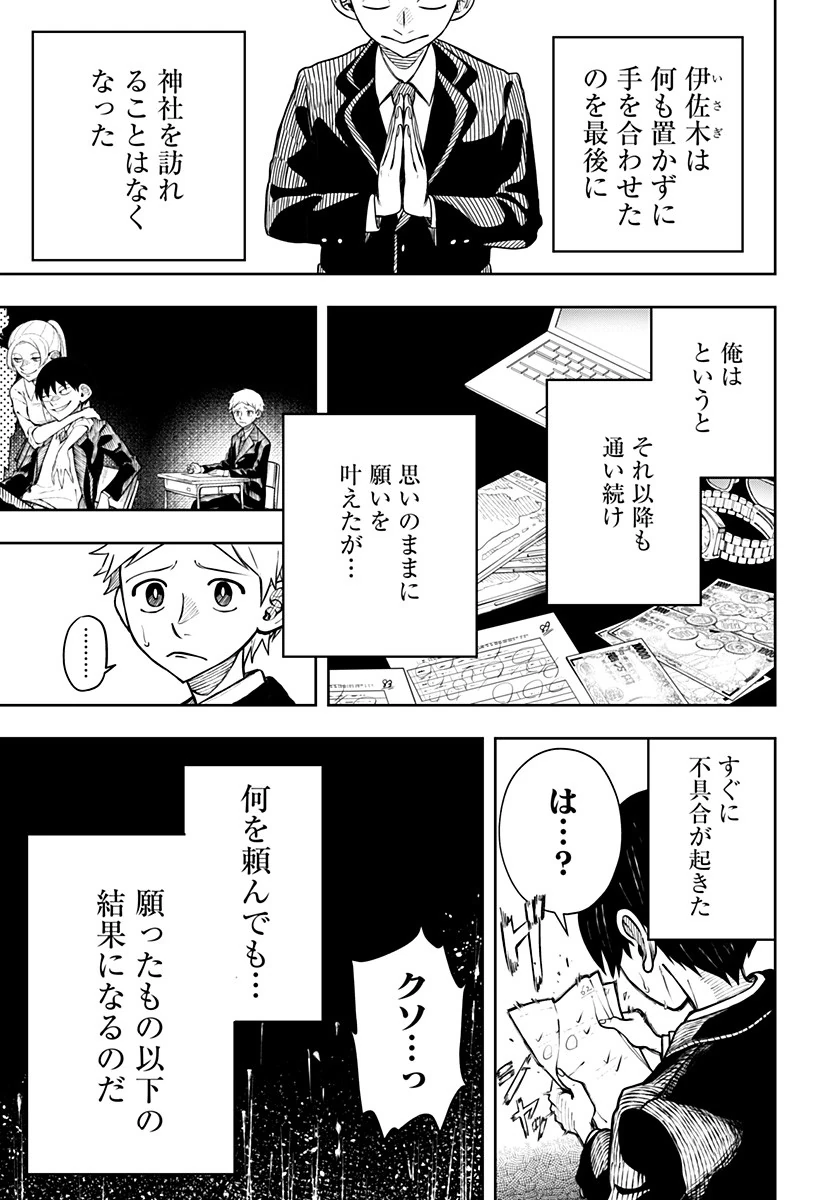
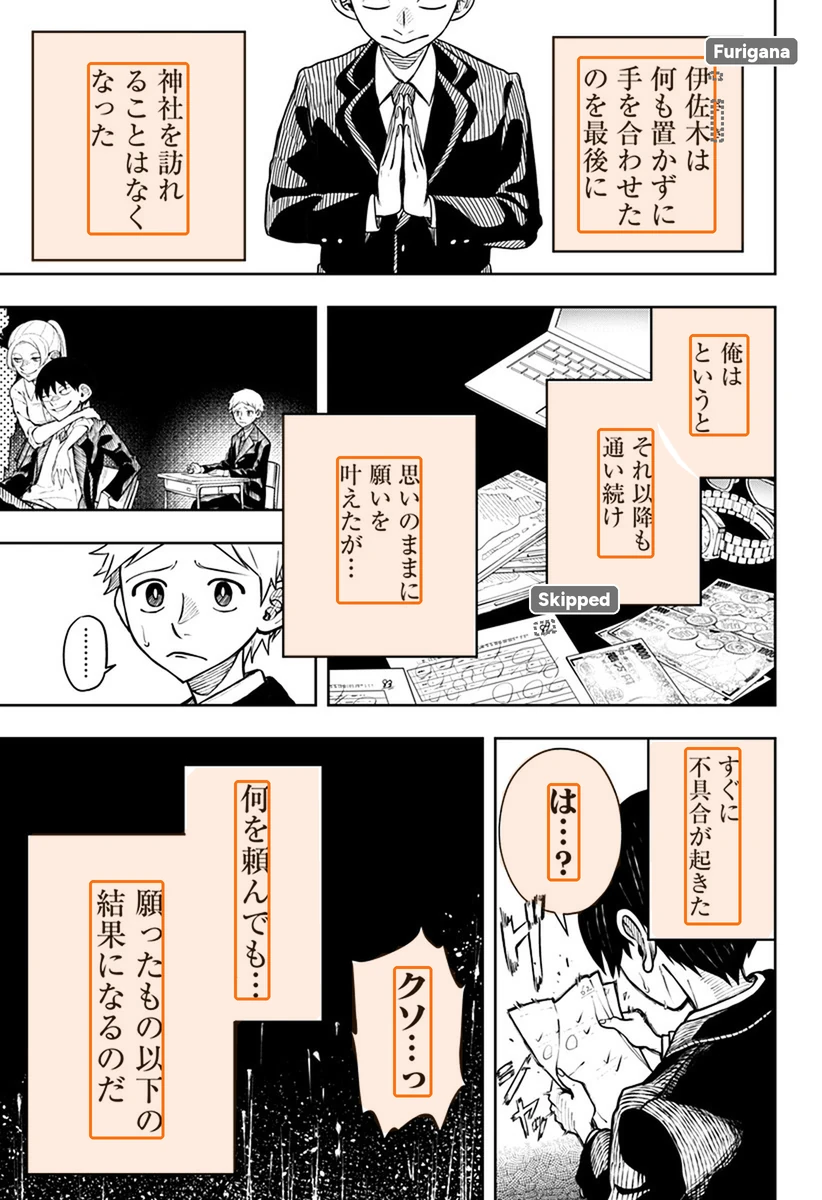
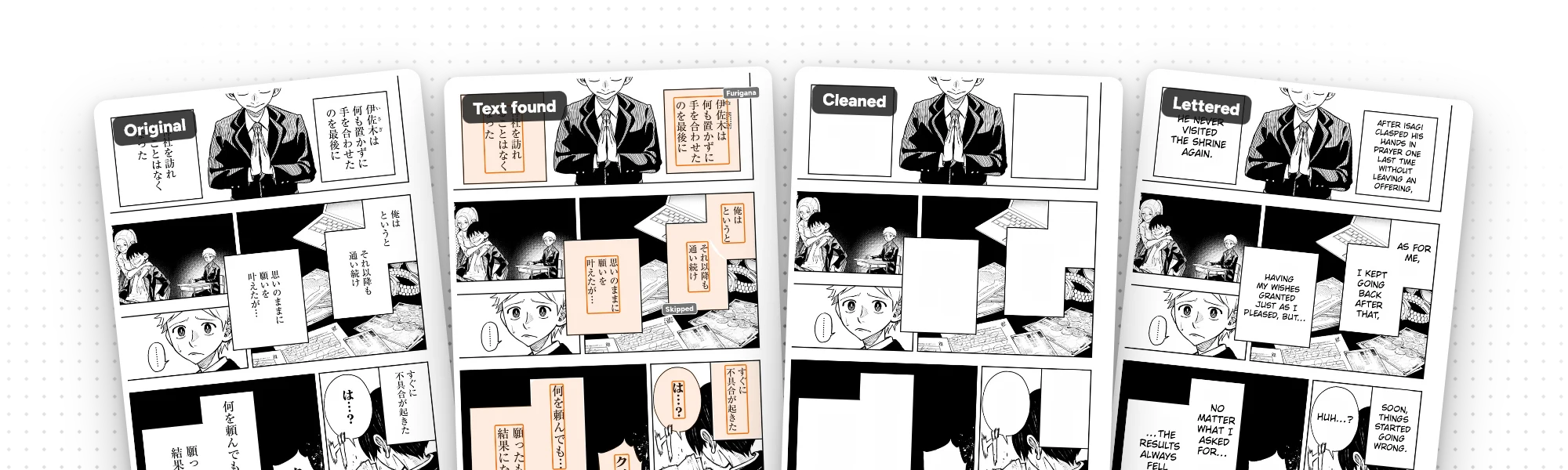
The raw page: narration boxes, a few speech bubbles and a lot of black.
Every line Torii found, inside the boxes and bubbles it belongs to. The grey dashes mark what it reads but doesn't translate.
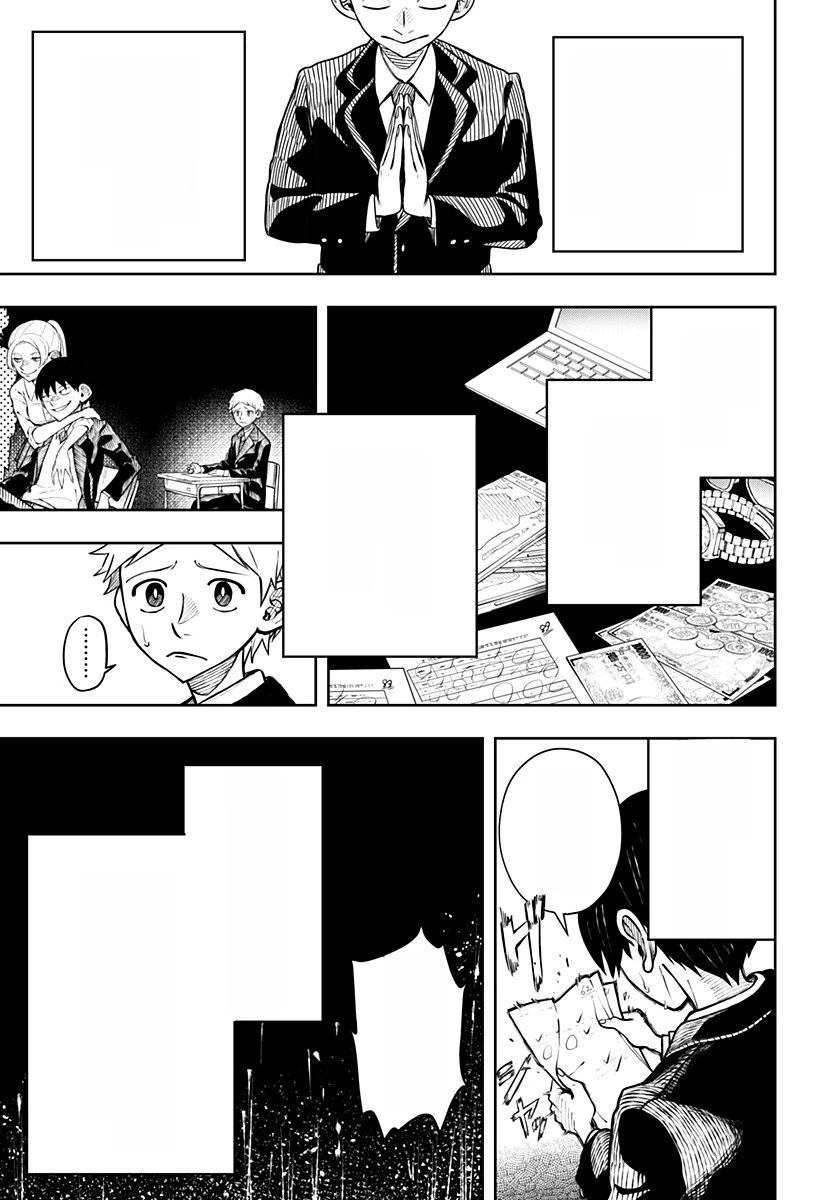
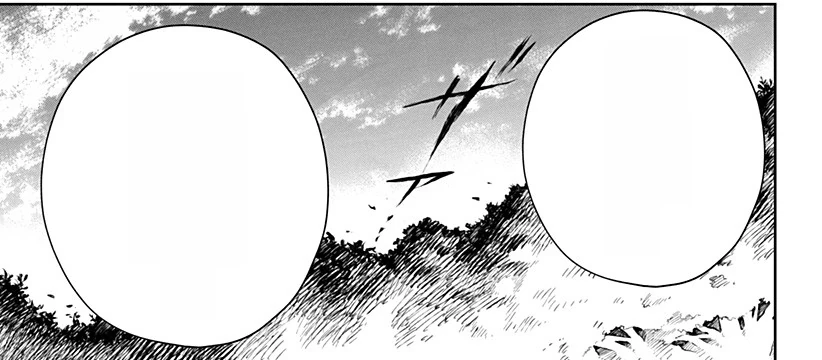
The Japanese, erased. The boxes, bubbles and art around them stay as they were.
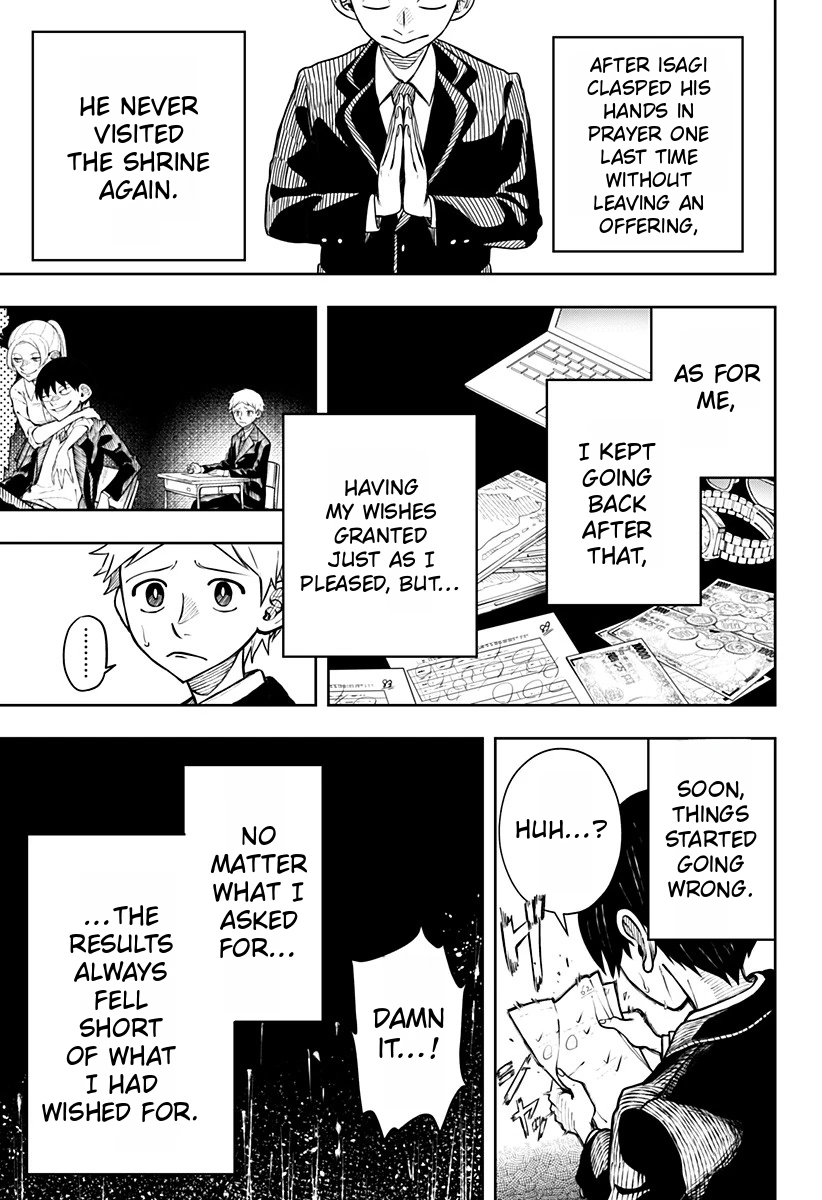
The English translation, lettered into every box and bubble.
Step 1: find every line of text
Before anything can be translated, Torii has to know where the text is. That sounds simple until you look at a manga page: speech bubbles, narration boxes, thoughts floating outside any bubble, signs drawn into the background, and lettering that runs top to bottom in columns.
Two searches run side by side. One outlines every speech bubble on the page; the other finds every line of lettering, in a bubble or not. A third look, made while reading, catches small text the first two miss: signs, scene text, a word squeezed between panels. Switch the page above to Text found to see what came back.
Long webtoon strips need extra care. A strip can be tens of thousands of pixels tall, far too tall to look at in one go, so Torii cuts it into overlapping pieces, searches each one, and joins back together any bubble that a cut went through.
Step 2: read it, columns, furigana and all
Japanese runs in vertical columns, read right to left, and the same page can mix in horizontal lettering, English words or a scribbled note. Torii reads every line, checks how sure it is of each one, and drops what it can't read with confidence.
Then it reads the page again where a first pass tends to stumble: lines that overlap or cross, lines a cut went through, and patches of text no line has claimed yet. For Japanese and Chinese, anything still unread goes to a second reader.
Some text should be read but never translated.
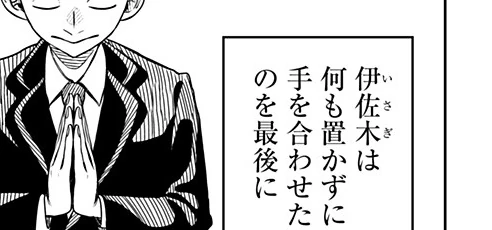
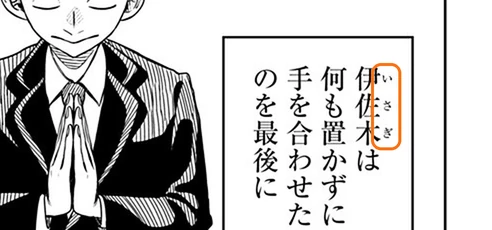
What's the tiny text beside the first three characters?
Next comes the order a reader would follow: rows from top to bottom, and right to left within a row when the page is Japanese or its bubbles are tall and narrow. Torii finds the panels from the gutters between them, so a tall panel beside two stacked ones is read as one column, and bubbles that touch stay together as one speaker.
While it reads, Torii also measures the lettering itself: the colour of the letters, of any outline around them, and of the background. On 2,499 lines labelled by hand, it gets that right about 95% of the time. Those colours come back at the very end, when the translation is lettered in.
Step 3: know the story before you translate
A translator who sees one sentence at a time makes mistakes no dictionary can fix. Japanese often leaves out who's talking, who they're talking about, and whether someone is a he or a she. A human translator fills those gaps from the art and from everything they've read so far. Torii gives the AI the same three things.
The page itself. The AI sees the page, with each line's number drawn beside it, so it can tell which bubble is which and who's speaking to whom.
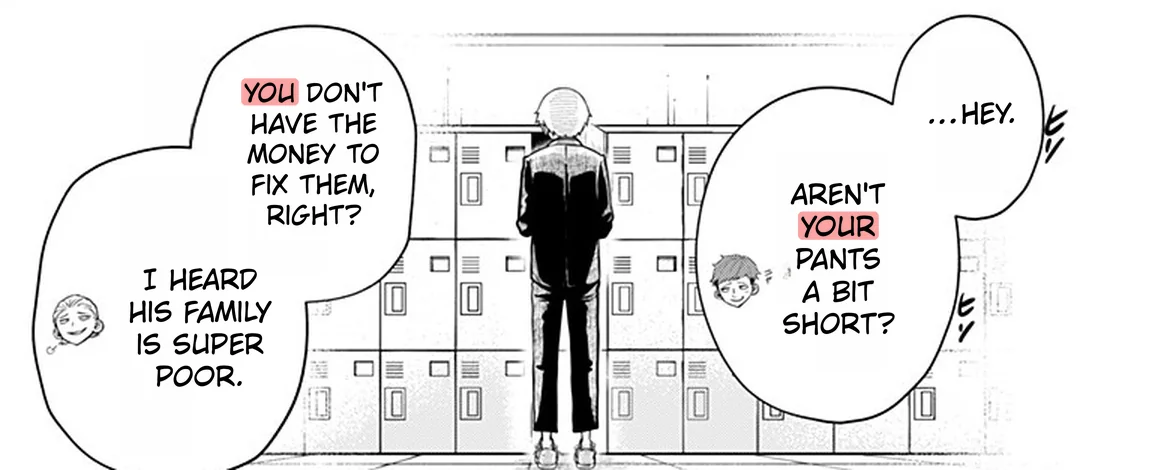
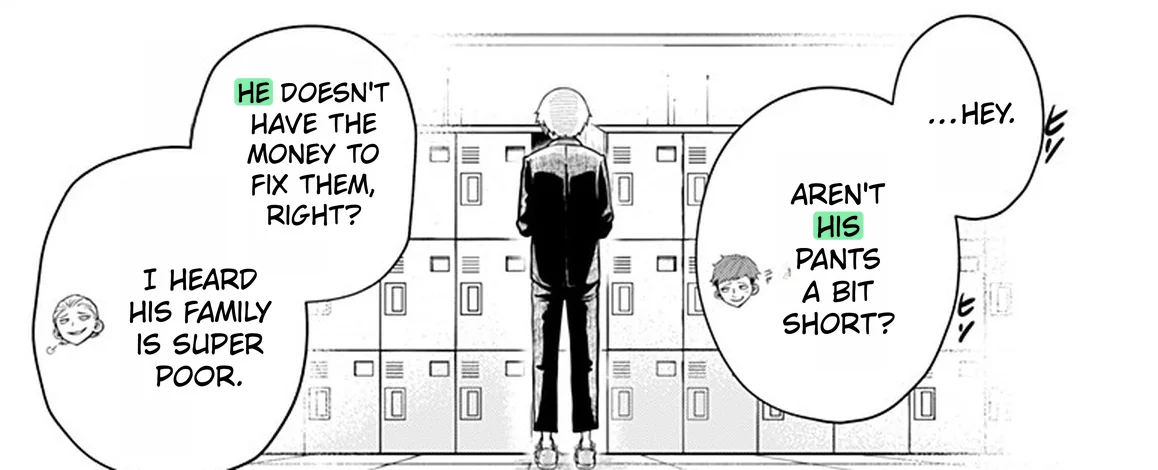
Something's off in this translation. Can you spot it?
The pages before. Each page's translation comes back with a short summary of what happened. Torii carries those summaries on to the next page, and condenses them when they grow long, so a later page still knows what happened earlier.
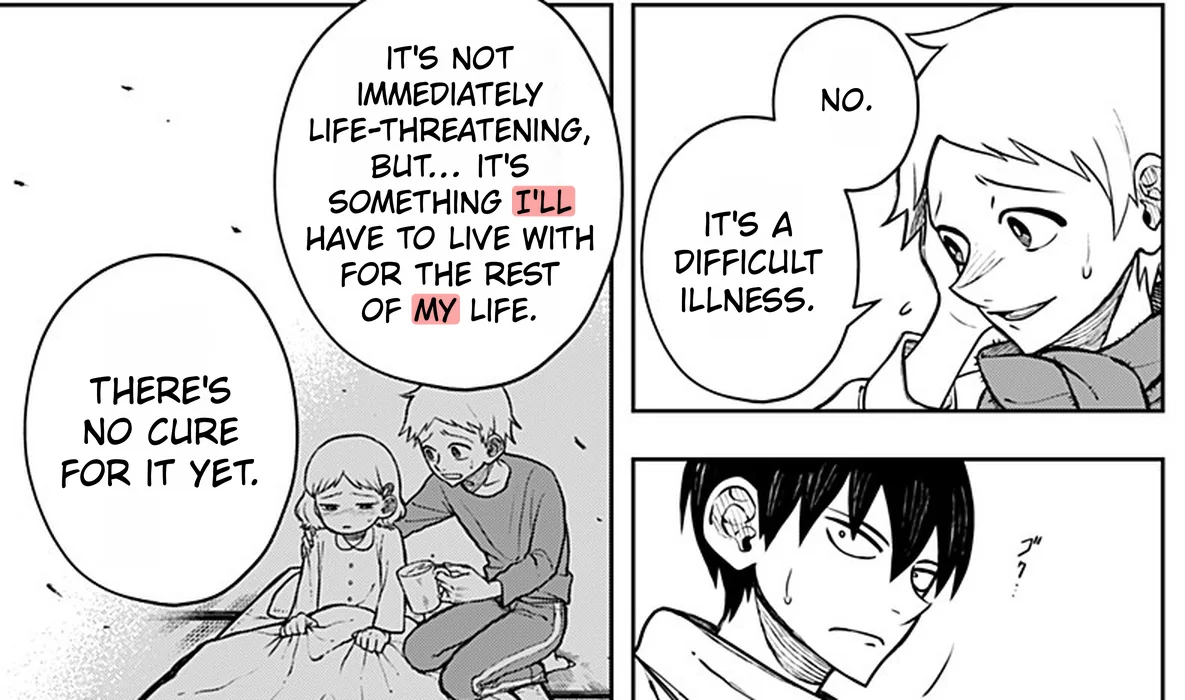
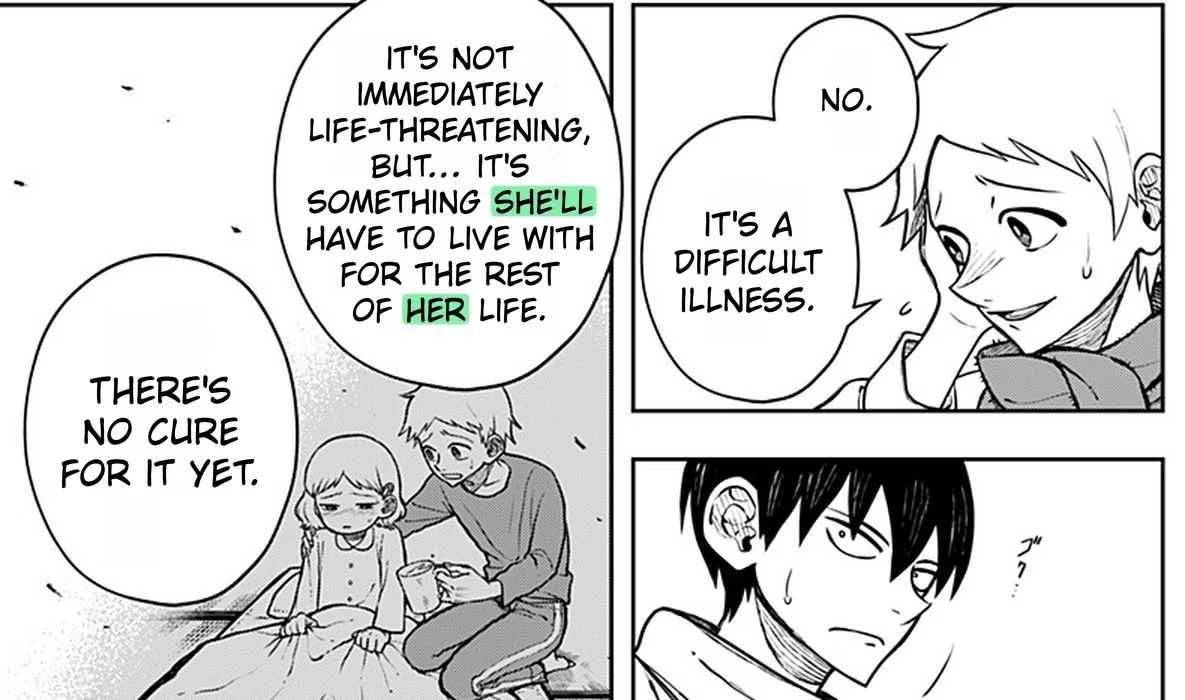
One page at a time, it mixes up who's sick.
It remembers his sister from the last page.
The whole story. A glossary pins down names, terms and who's who. Torii can write one for you: it reads every page first, then notes the setting, the main characters, how each pair addresses each other, and the terms that keep coming up. It records a character's gender only when the text shows it, never from a name alone. It's also where a name's reading belongs: add 伊佐木 = Isagi once, and every page is translated with that entry in hand.
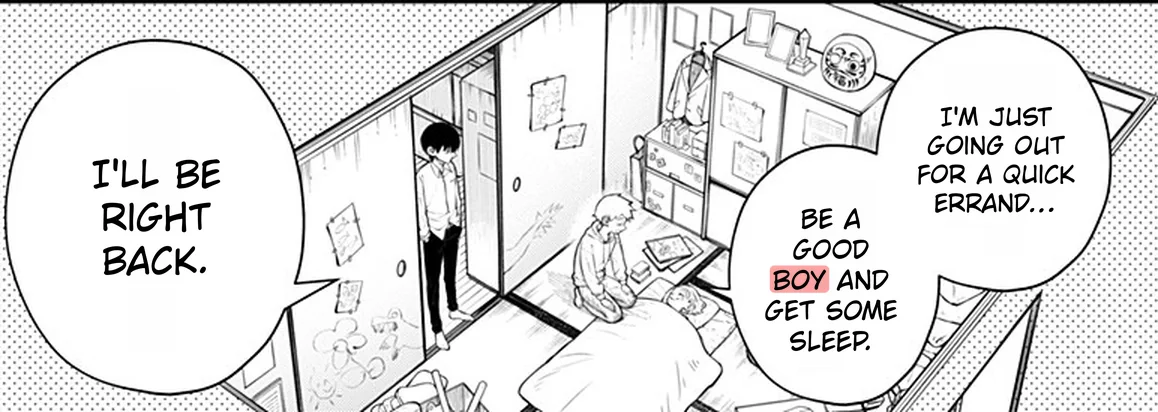
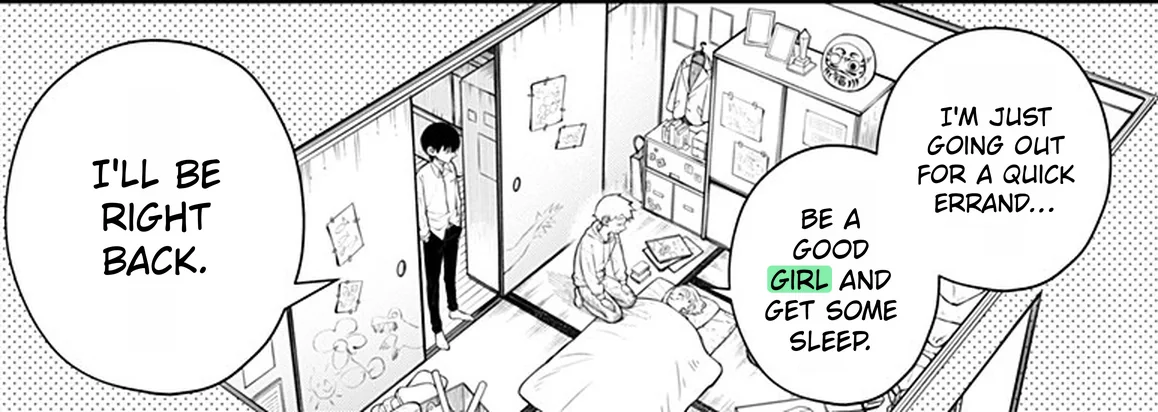
The page alone doesn't show who's in bed.
The glossary knows she's his little sister.
Step 4: translate it naturally
With the page read and the context gathered, Torii sends the AI the whole page at once: every line, numbered in reading order. The instructions ask for natural dialogue rather than a word-for-word gloss, and forbid summarising or skipping lines. If a reply comes back with lines missing or merged, it's rejected rather than lettered.
| Japanese | English |
|---|---|
| 伊佐木は何も置かずに手を合わせたのを最後に | After Isagi clasped his hands in prayer one last time without leaving an offering, |
| 神社を訪れることはなくなった | he never visited the shrine again. |
| 俺はというと | As for me, |
| それ以降も通い続け | I kept going back after that, |
| 思いのままに願いを叶えたが・・・ | having my wishes granted just as I pleased, but... |
| すぐに不具合が起きた | soon, things started going wrong. |
| は…? | Huh...? |
| クソ…っ | Damn it...! |
| 何を頼んでも… | No matter what I asked for... |
| 願ったもの以下の結果になるのだ | ...the results always fell short of what I had wished for. |
You choose the AI. Torii offers ten models, from quick and cheap to the most capable, including Gemini, GPT, Claude and DeepSeek, or you can bring your own key. You can add your own instructions too, for example to keep honorifics like -san and -senpai.
Sound effects are worth a word. Torii translates any sound effect it reads, like any other text. If you'd rather keep them as drawn, turn on Bubbles Only: it skips short text outside the bubbles, which is where most sound effects live.
Step 5: clean the original lettering
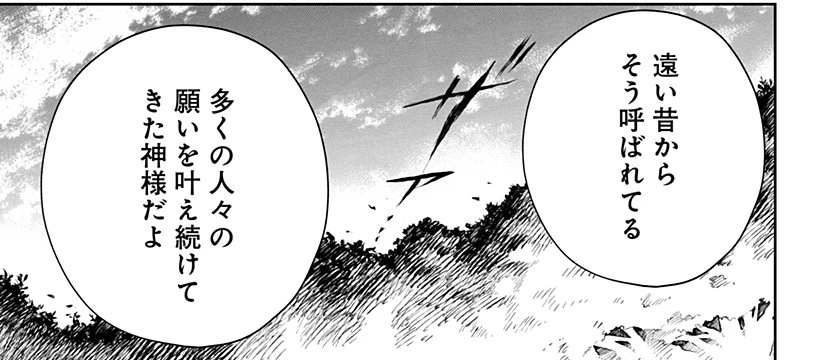
Before the translation goes in, the Japanese has to come out without a trace. Scanlation cleaners do this by hand in an image editor, painting over the text and redrawing whatever was behind it. Torii uses an AI inpainting model that fills each gap with what should be there: white paper in a bubble, screentone, a cloud, a strand of hair.
Each line is erased with a margin that grows with the size of its lettering, and a little more for Japanese and Chinese, so no stray stroke survives. Small patches from all over the page are cleaned together in one pass, and the whole step runs while the AI is still translating, so it adds almost no wait.
Step 6: letter the translation
Lettering is where most machine translation falls down. Pasting a box of text over the art is easy; making the page look as if it was drawn in English is not. English runs longer than Japanese, bubbles are round, and every line still has to read naturally.
For each bubble, Torii first finds the paper: the white space inside its outline, including the parts the original lettering never used. Then it searches for the best way to break the translation into lines, scoring every option. A lone short word on its own line costs points, so does a block whose shape doesn't match the bubble's, and a hyphen has to earn its place by making the text noticeably bigger.
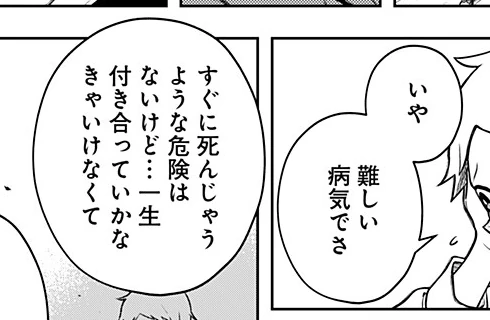
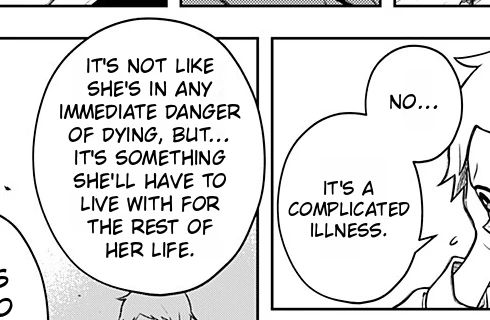
The size aims at the original lettering, so a whisper stays small and a shout stays big. A roomy bubble lets the text grow a little; a tight one shrinks it. The outline around the letters takes the colours measured while reading, so white text on a black panel stays white on black.
Fonts matter too. Torii has 16 to choose from, and when a font can't write your language, it falls back to one that can. Thai, Lao, Khmer and Burmese, which don't put spaces between words, break between dictionary words, and translating into Japanese or Chinese keeps vertical text vertical. In all, Torii letters into more than 140 languages.
Step 7: check it, and fix what's off
No pipeline gets every page perfect, and a proofreader's eye still matters. Every page translated in the web app opens in Torii's editor, where every bubble is still editable text: change a line, its font or its size, warp it into an arc, or move it. If Torii missed a bubble, brush over it with Manual Translate and it's read and translated on the spot. The inpaint brush cleans up anything left behind.
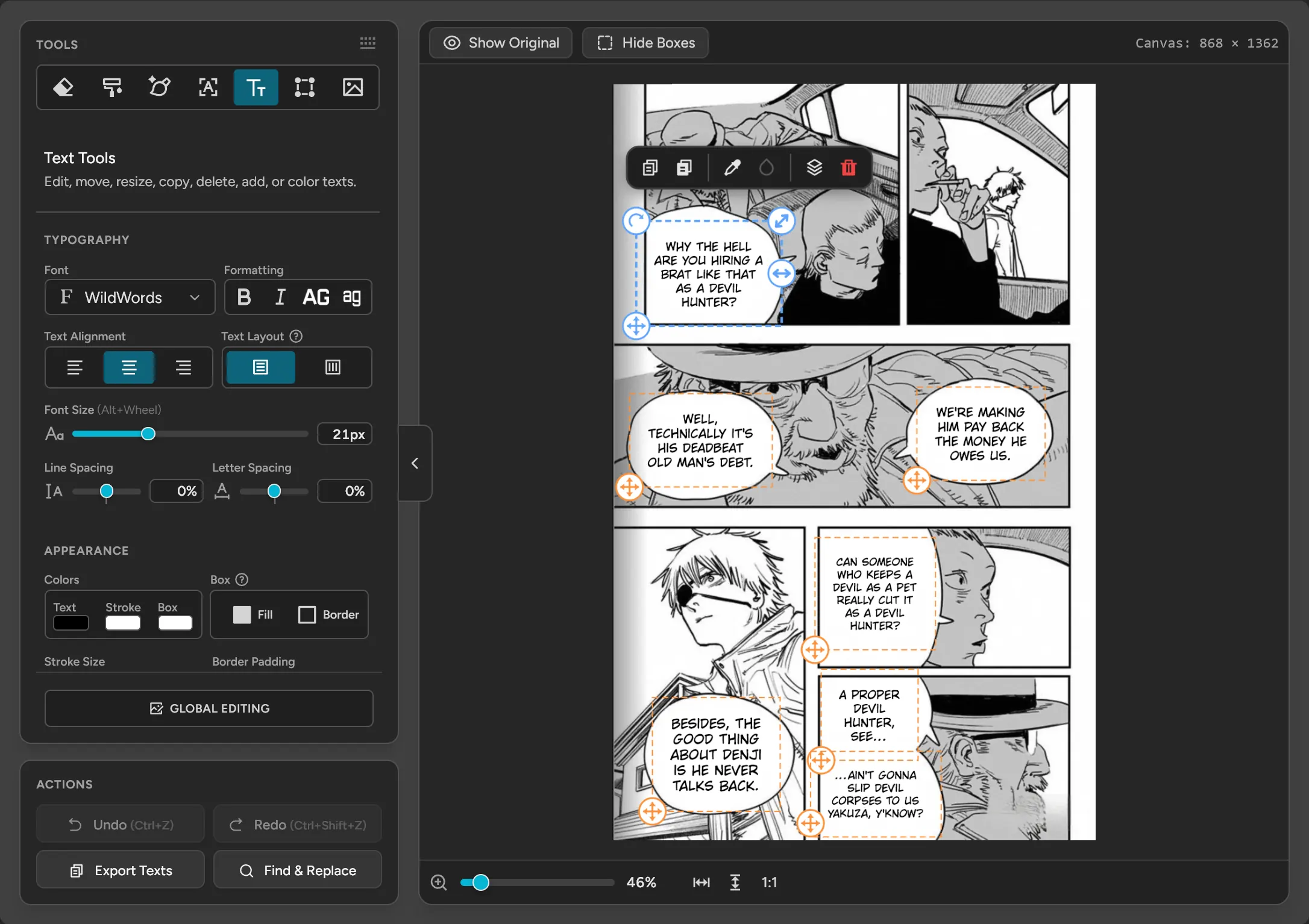
When the chapter's done, export it as a ZIP or a PDF, or as a Photoshop file with the original, the cleaned page and the translation as separate layers, and every line as an editable text layer.
Translating manga by hand, or with Torii
If you'd like to do it all yourself, the classic scanlation workflow is these same steps done by people: a translator writes the script, a cleaner erases the original text in an image editor, a typesetter letters the script in a comic font, and a proofreader checks the result. It gives you the most control, and takes the most time.
Torii fits in between. Let it do the first pass on a whole chapter, then spend your own time on the pages that deserve a human touch. And if you just want to read, the browser extension translates manga, manhwa and webtoons right on the page as you scroll.
Read your next chapter in your language
Torii translates manga, manhwa and webtoons right on the page, or whole chapters you upload. Free credits, no card.
