Best manga translator in 2026: 9 tests every tool must pass
What a good manga translator has to get right, nine tests that show it, and how Torii, Ichigo, Scan Translator, MangaTranslate and others do on each.


On this page
- What makes a good manga translator
- 1. It finds every line of text
- 2. It handles every kind of page
- 3. It knows the story, not just the sentence
- 4. It lets you choose the AI
- 5. It cleans the art instead of covering it
- 6. It letters like a typesetter
- 7. It lets you fix anything
- 8. It works wherever you read
- 9. It keeps a whole series in order
- One more thing: color
- What it costs
- How the manga translators compare
- How to test a manga translator yourself
- Questions people ask
What makes a good manga translator
A good manga translator has to do a lot more than swap Japanese for English. Here are the nine things it has to get right:
- Find every line of text
- Handle every kind of page
- Know the story, not just the sentence
- Let you choose the AI
- Clean the art instead of covering it
- Letter like a typesetter
- Let you fix anything
- Work wherever you read
- Keep a whole series in order
Most tools stop after the first click. Torii does all nine.
Full disclosure: I make Torii. So instead of asking you to take my word for it, I checked Torii and its competitors against these tests, using their own websites and the same test page.
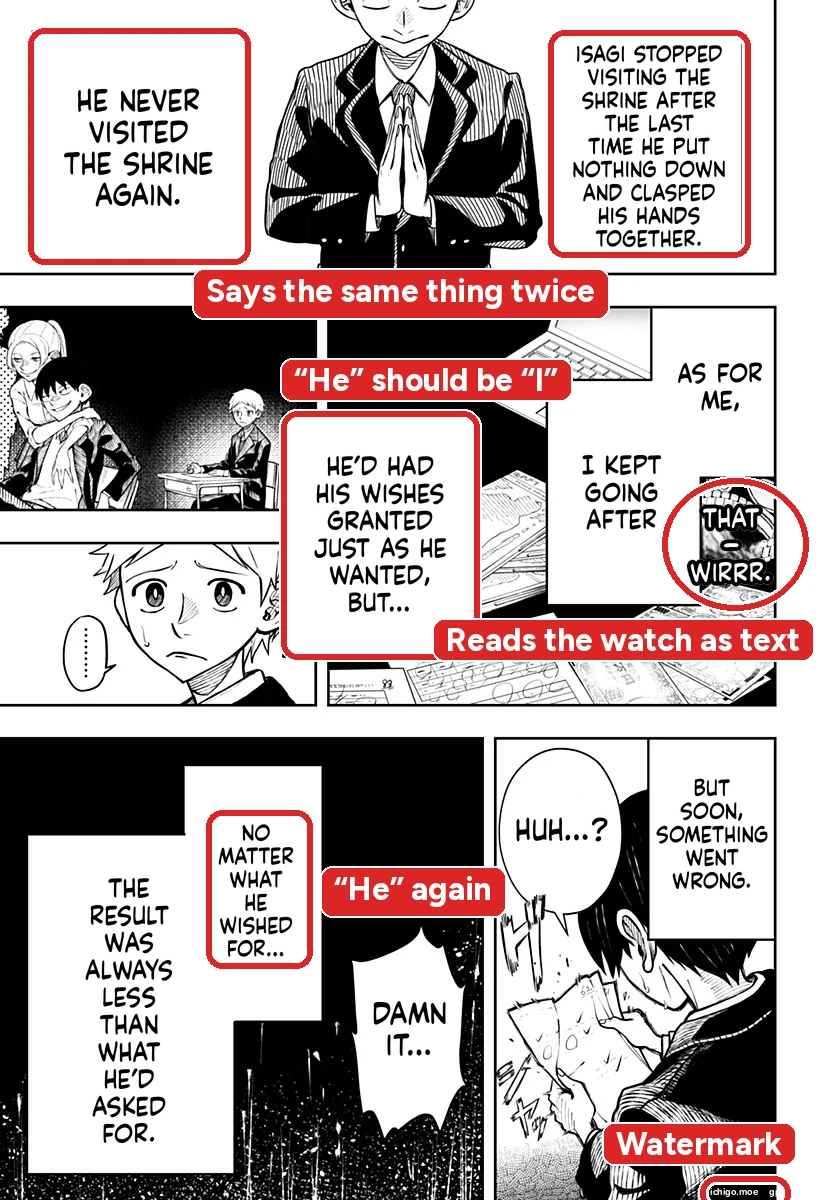
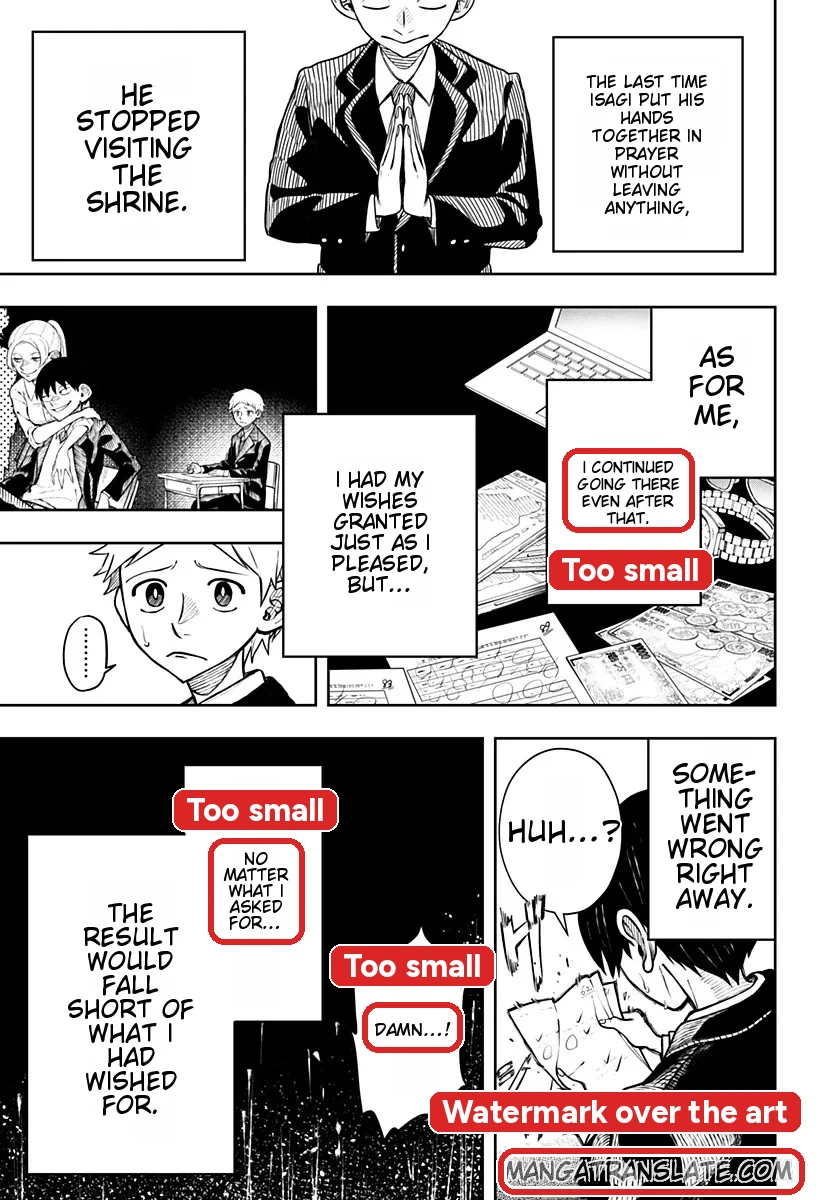
Let's start with a real test: the same page, translated by four different tools. Tap through them, and look at how the text sits in each box, not just what it says.
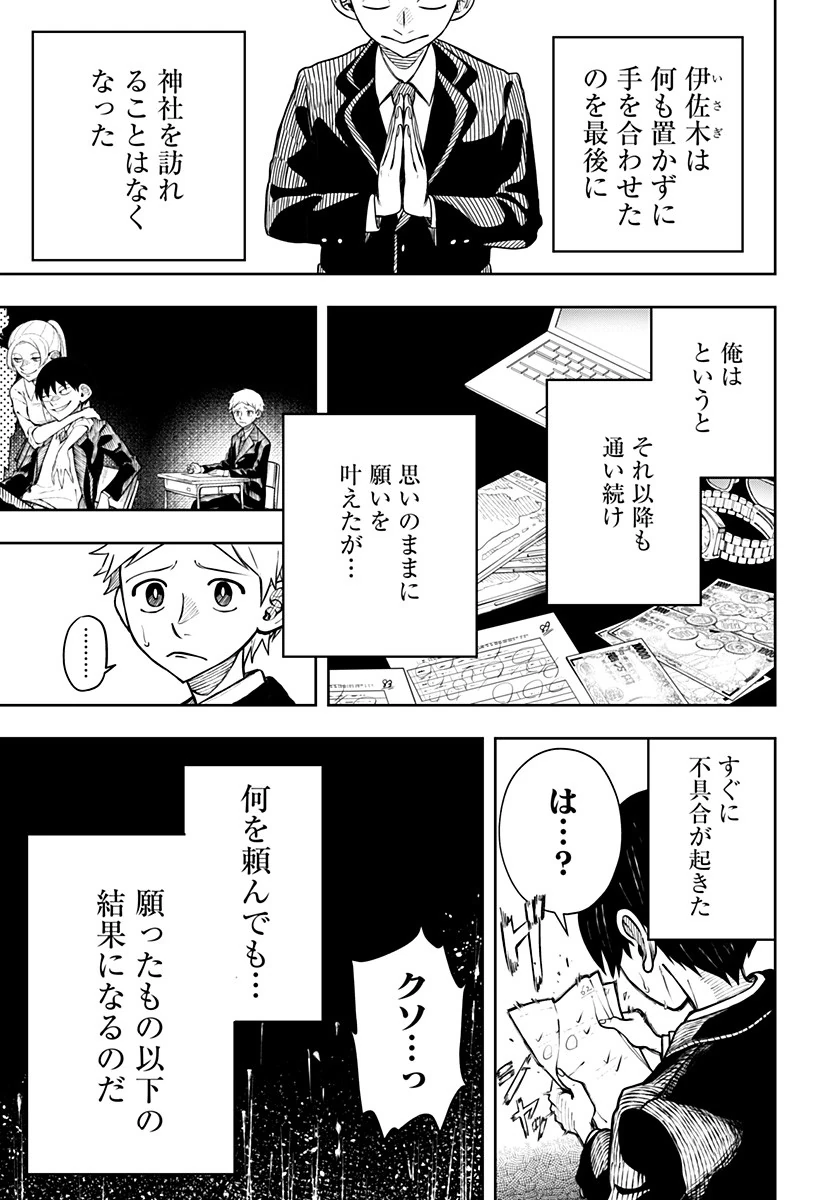
The raw page: narration boxes, a few speech bubbles and a lot of black.
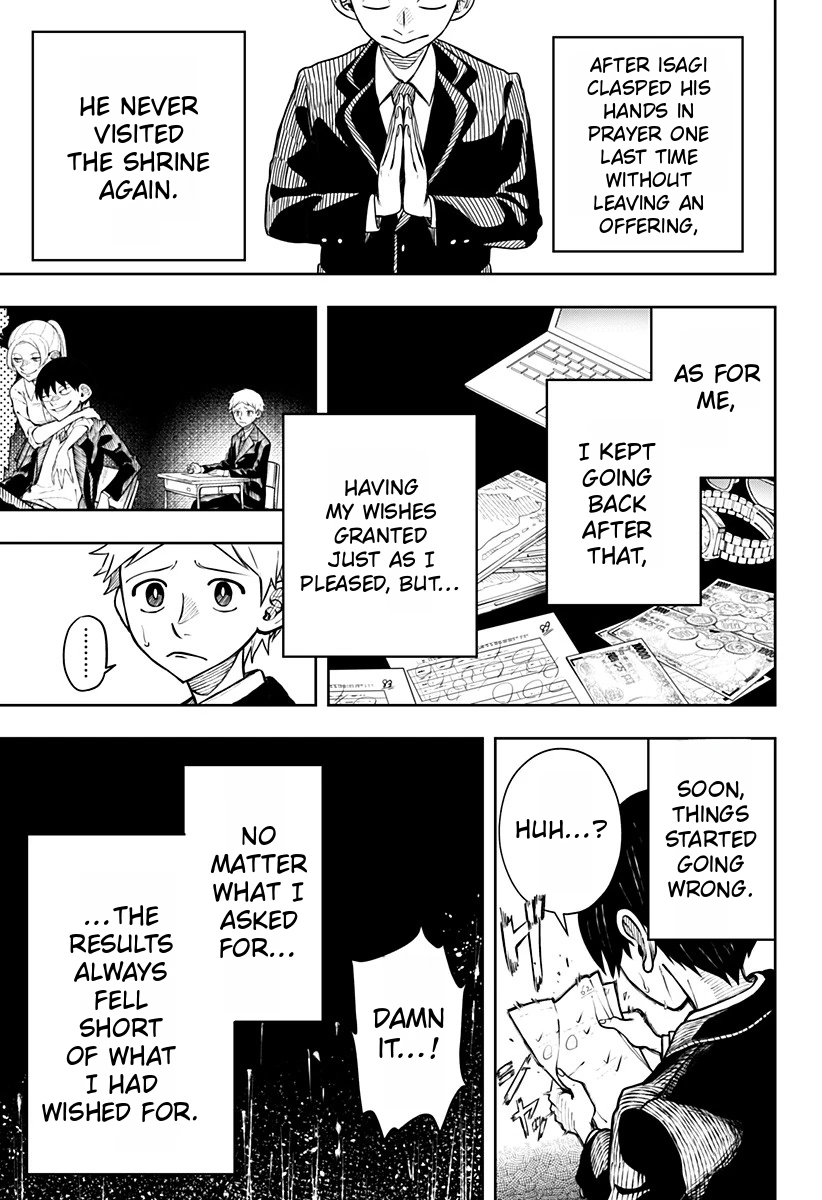
Torii: every box filled, the text sized like the original, and no watermark.
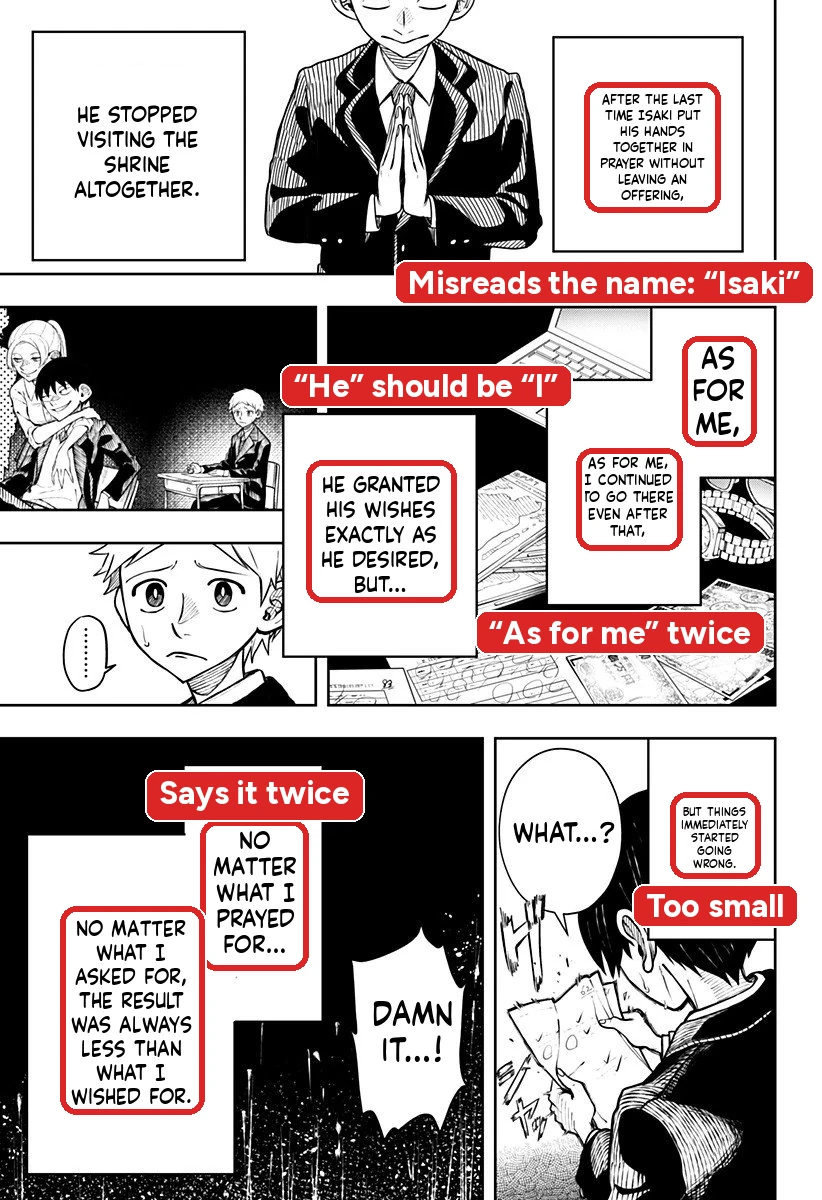
Scan Translator misreads the name as "Isaki", swaps the narrator's "I" for "he", repeats two lines and makes one too small.
Ichigo's free upload thinks the watch on the desk is text, swaps "I" for "he", repeats the top line and adds a watermark.
MangaTranslate's free upload gets the wording right, but shrinks three lines far below the size of their boxes and puts a watermark across the art.
1. It finds every line of text
Manga hides text everywhere: speech bubbles, narration boxes, thoughts floating in the air, signs in the background, a word squeezed between panels. If a translator misses one, you lose a piece of the story. And if you can't read Japanese, you won't even know it's missing.
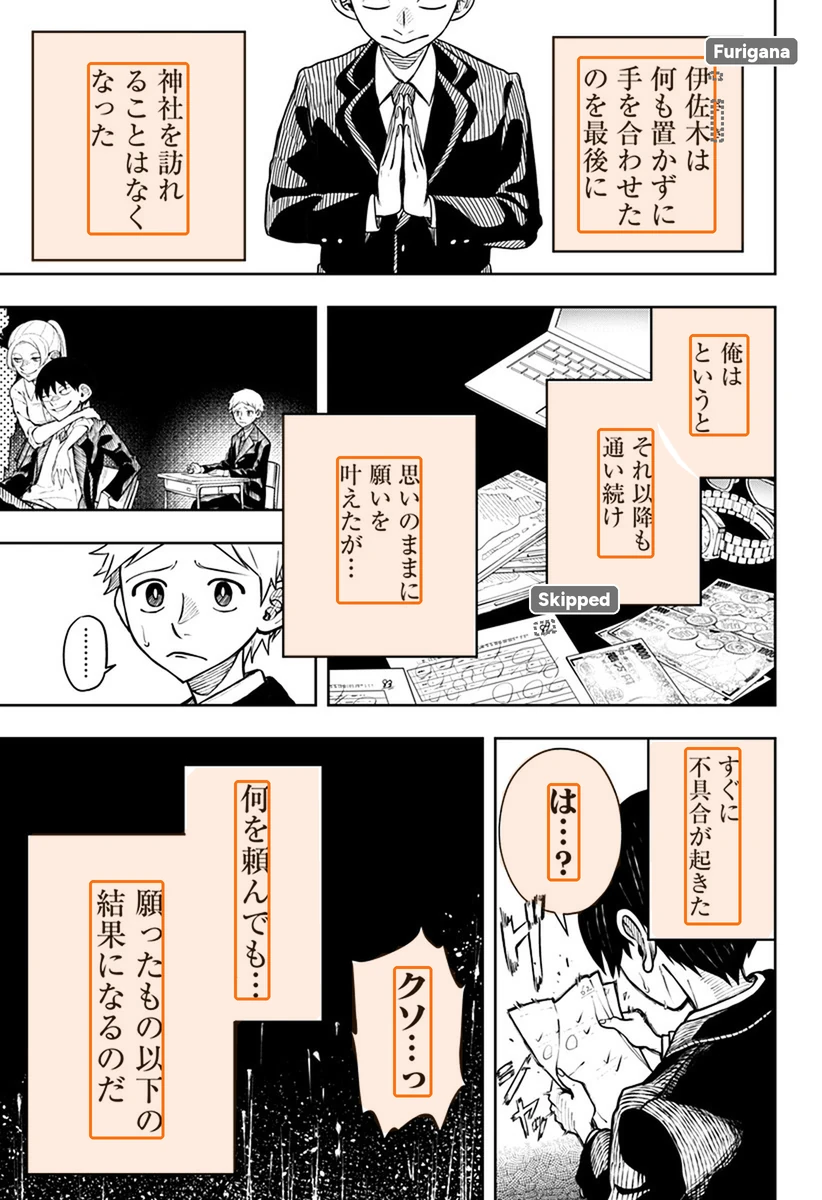
Torii looks for the bubbles and for the text separately, then takes a second look wherever text is easy to miss. (My guide to how to translate manga walks through every step.) If a line ever slips through, like a word on a sign or a note in the margin, just brush over it with Manual Translate. Torii reads it, translates it and letters it right there.
Other tools don't give you that option. Scan Translator tells you to screenshot the part it missed and translate it again, and its Retry button costs another credit. IsManga has a similar screenshot mode. Either way, once you have the result, that's it: you can't touch it.
2. It handles every kind of page
Manhwa and webtoons don't come as pages. They come as long vertical strips, often tens of thousands of pixels tall. Plenty of manga translators were built for one Japanese page at a time and fall over on anything else.
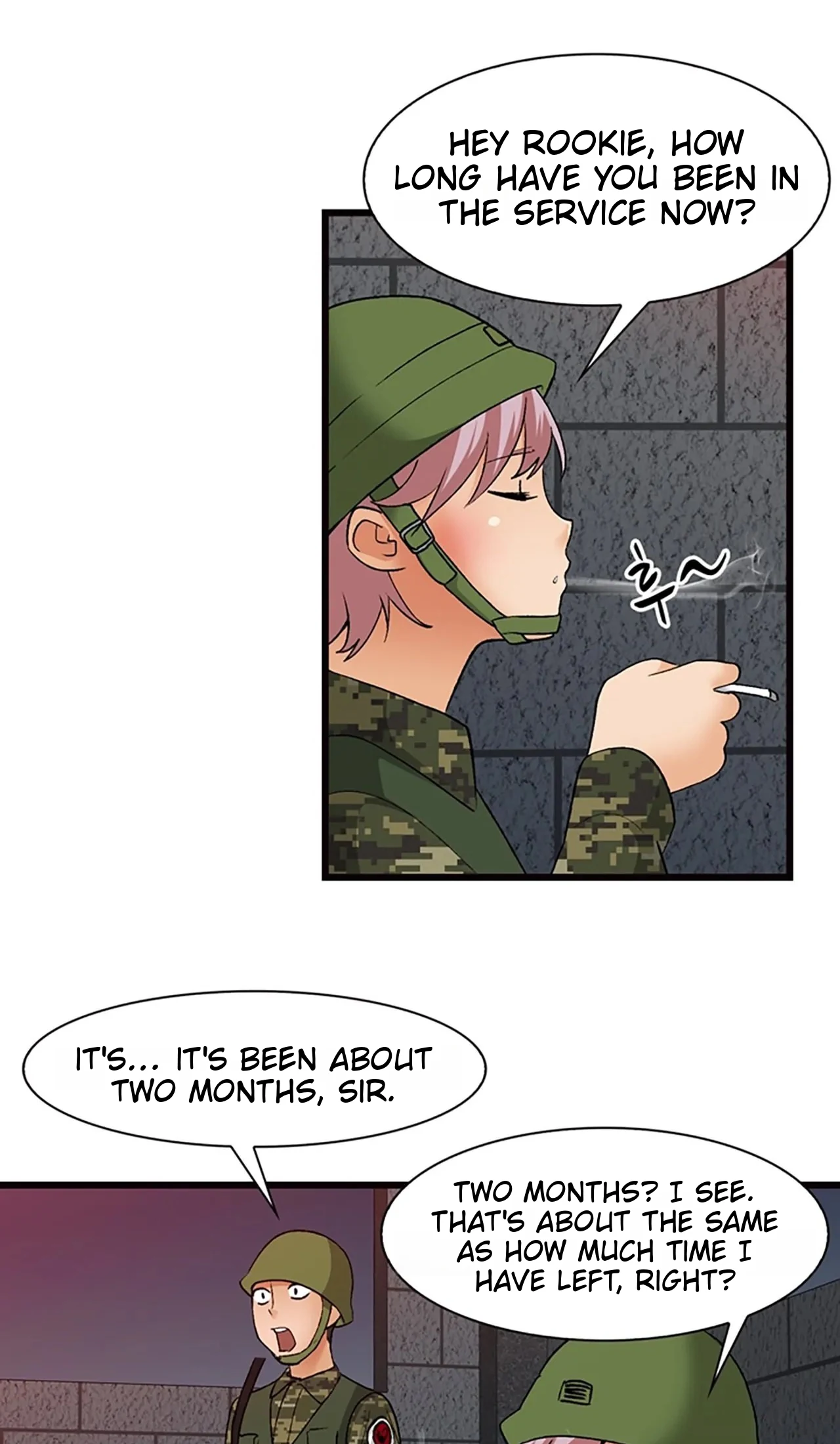
Torii takes images of almost any size or shape: a 30,000-pixel webtoon strip, a two-page spread, a full-color manhua chapter, a phone screenshot. It reads a tall strip in overlapping pieces, joins back any bubble the cuts went through, and letters the whole thing at full resolution, up to 100,000 pixels tall. It isn't only for comics, either: any image with text in it works, from a game screenshot to a photo of a sign.

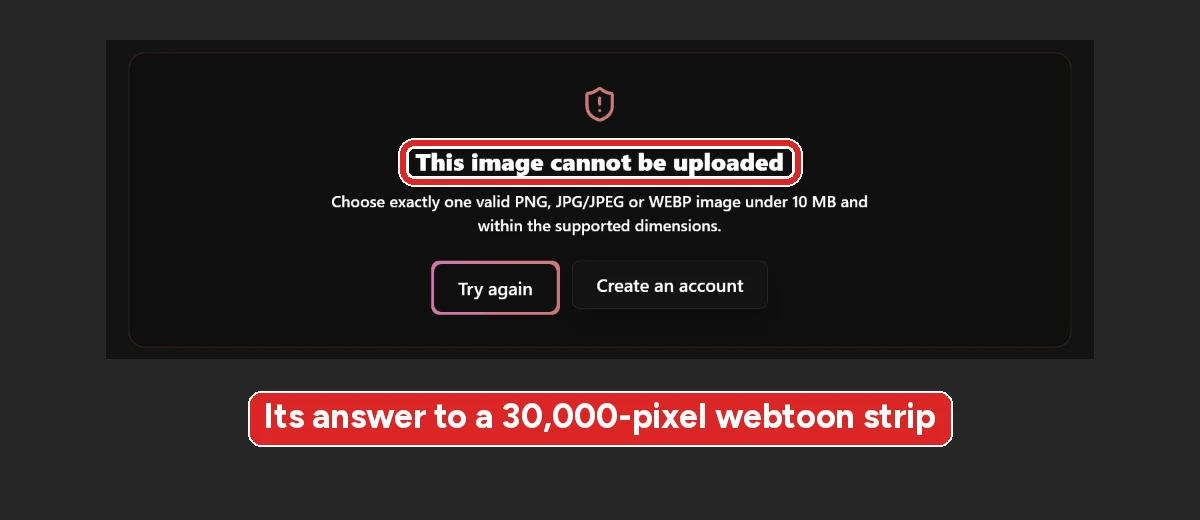
The others have limits. Scan Translator turns away images over its size limit with "This image cannot be uploaded", and in my test it refused a 30,000-pixel strip outright. Ichigo took the same strip but sent it back with nothing lettered.
3. It knows the story, not just the sentence
Japanese and Korean often leave out who's talking and who they're talking about, and a name written in kanji can be read more than one way. A translator that only sees one bubble at a time has to guess, and it often guesses wrong: "he" becomes "she", or a character's name changes halfway through the chapter.
Torii gives the AI what a human translator would have:
- The page itself, so it can see who's talking to whom.
- A summary of the pages before, so it remembers what just happened.
- A glossary of names, terms and who's who. Torii can even write it for you by reading the whole chapter first.
- Your own instructions, like keeping honorifics such as -san and -senpai, saved for each series.
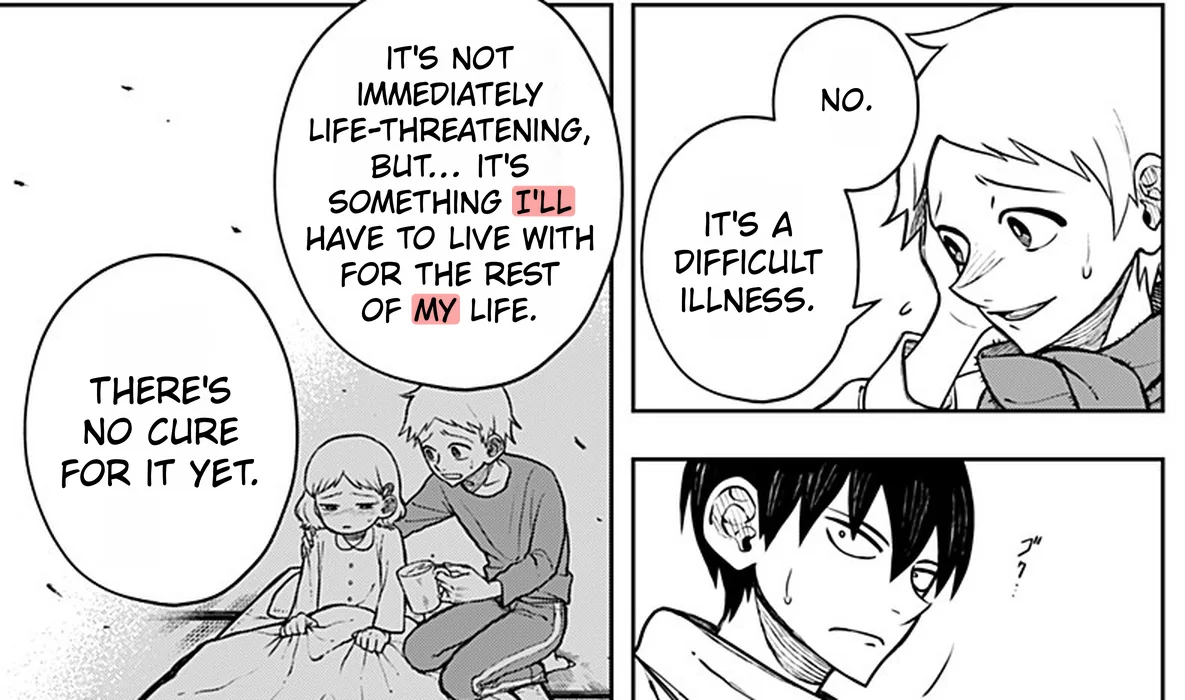
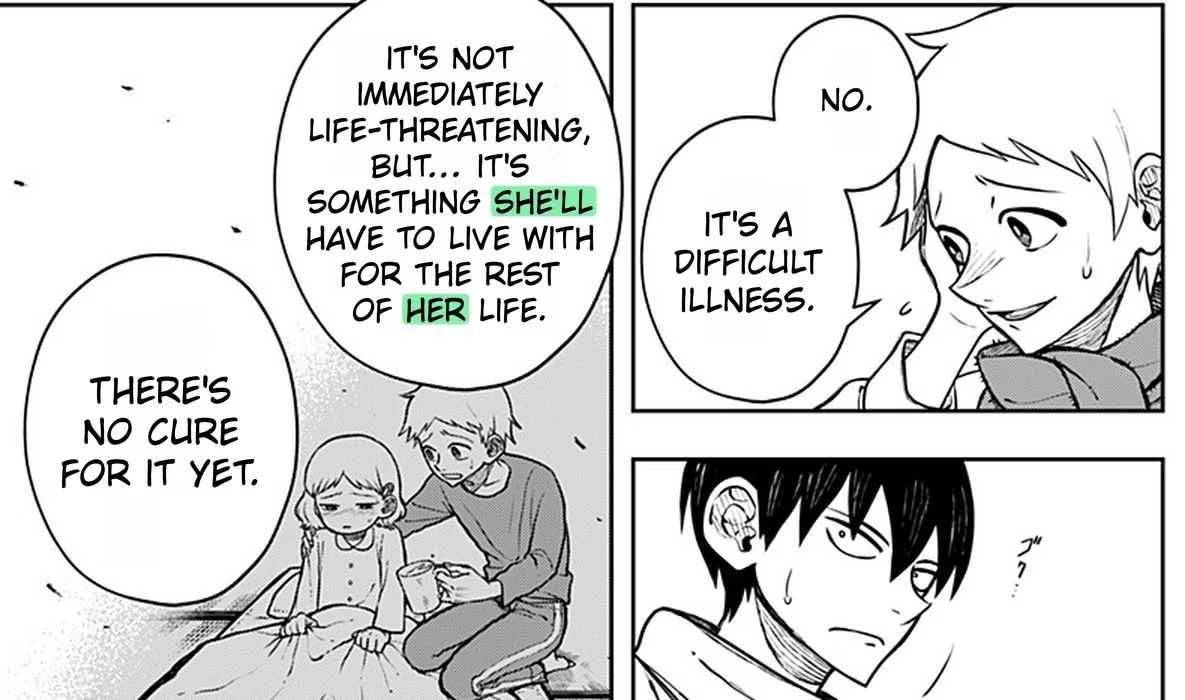
Whose illness is he talking about: his own, or his sister's?
You can also see exactly what Torii knows. Every glossary entry is right there to read, edit or delete, and Torii even shows how much the glossary adds to each page's cost. It's saved with your project, so next week's chapter picks up right where this one left off.
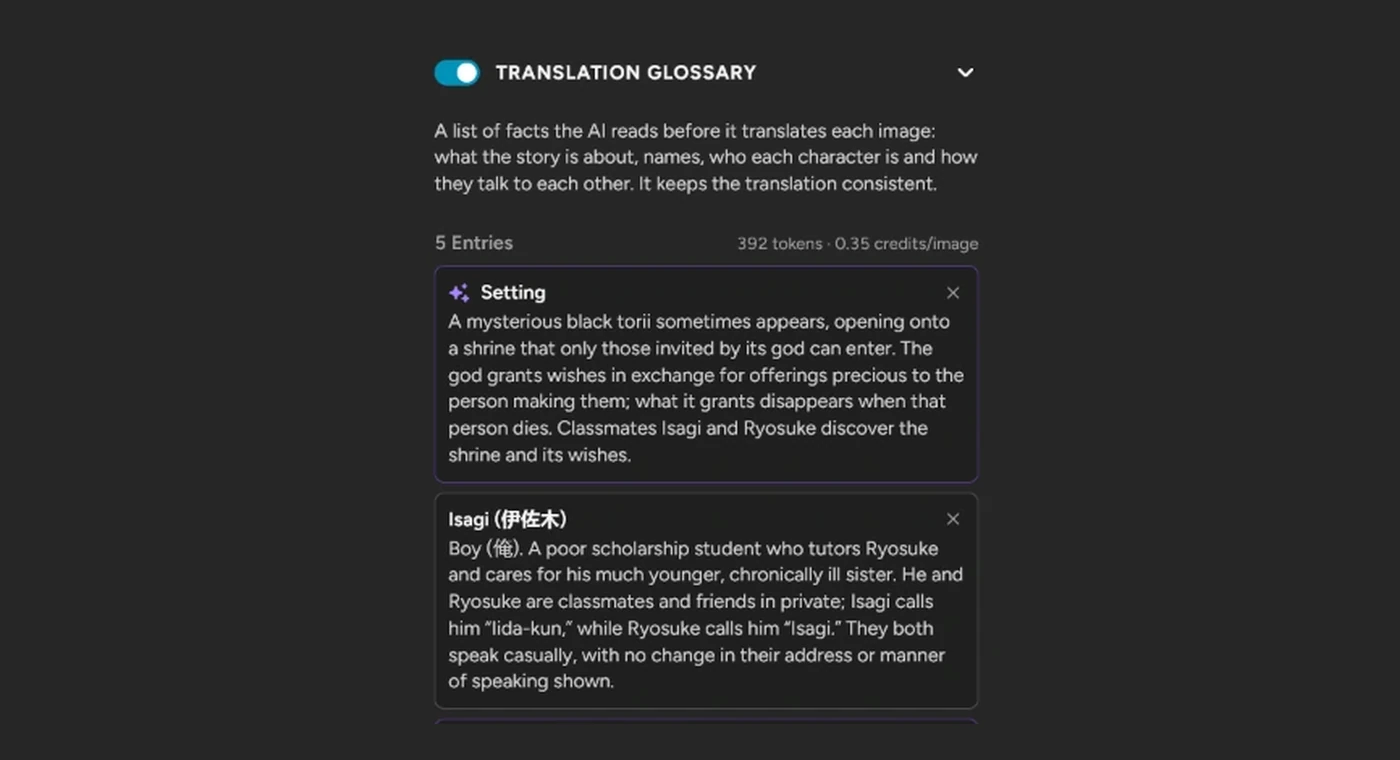
Torii: the glossary it wrote for the test page's chapter. Every entry can be edited, and its cost per page is shown.
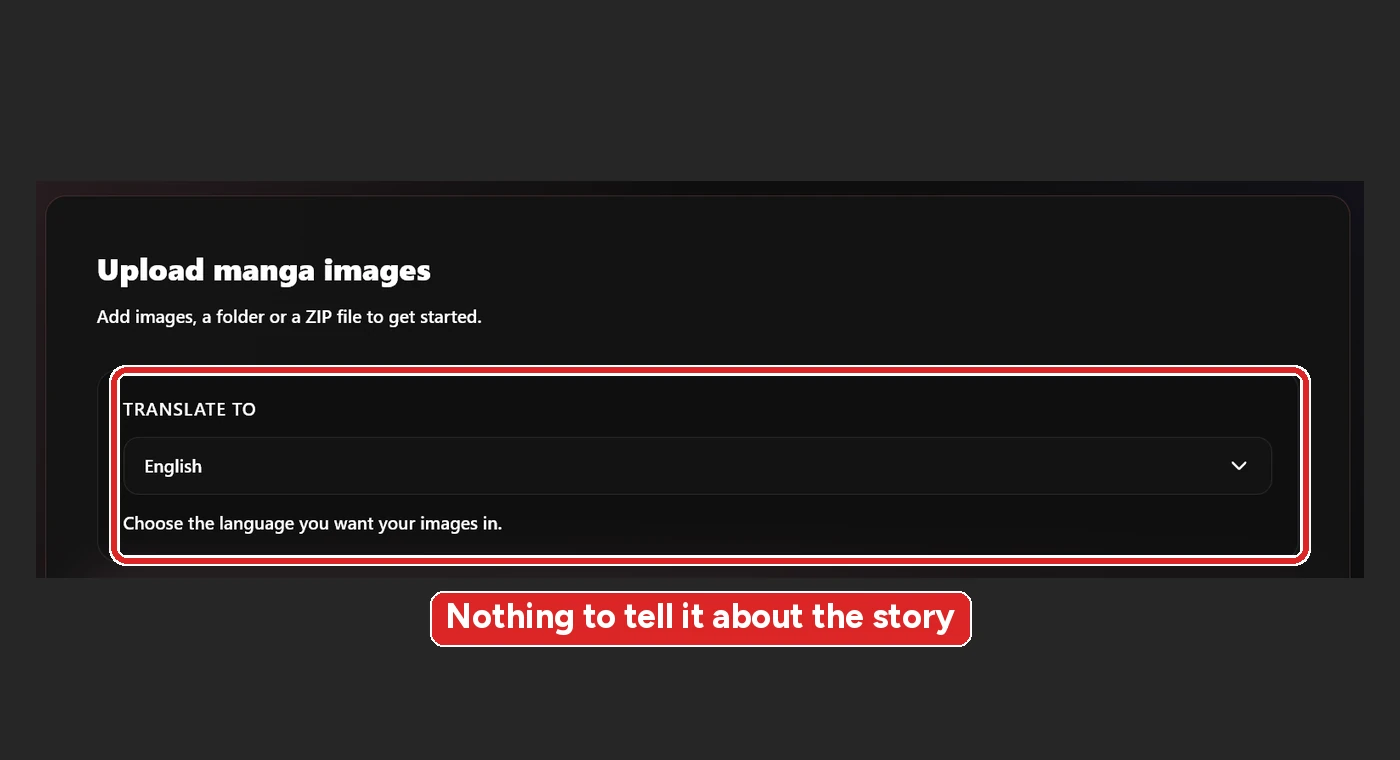
Scan Translator: one setting, the language. There's nothing to tell it about the story.
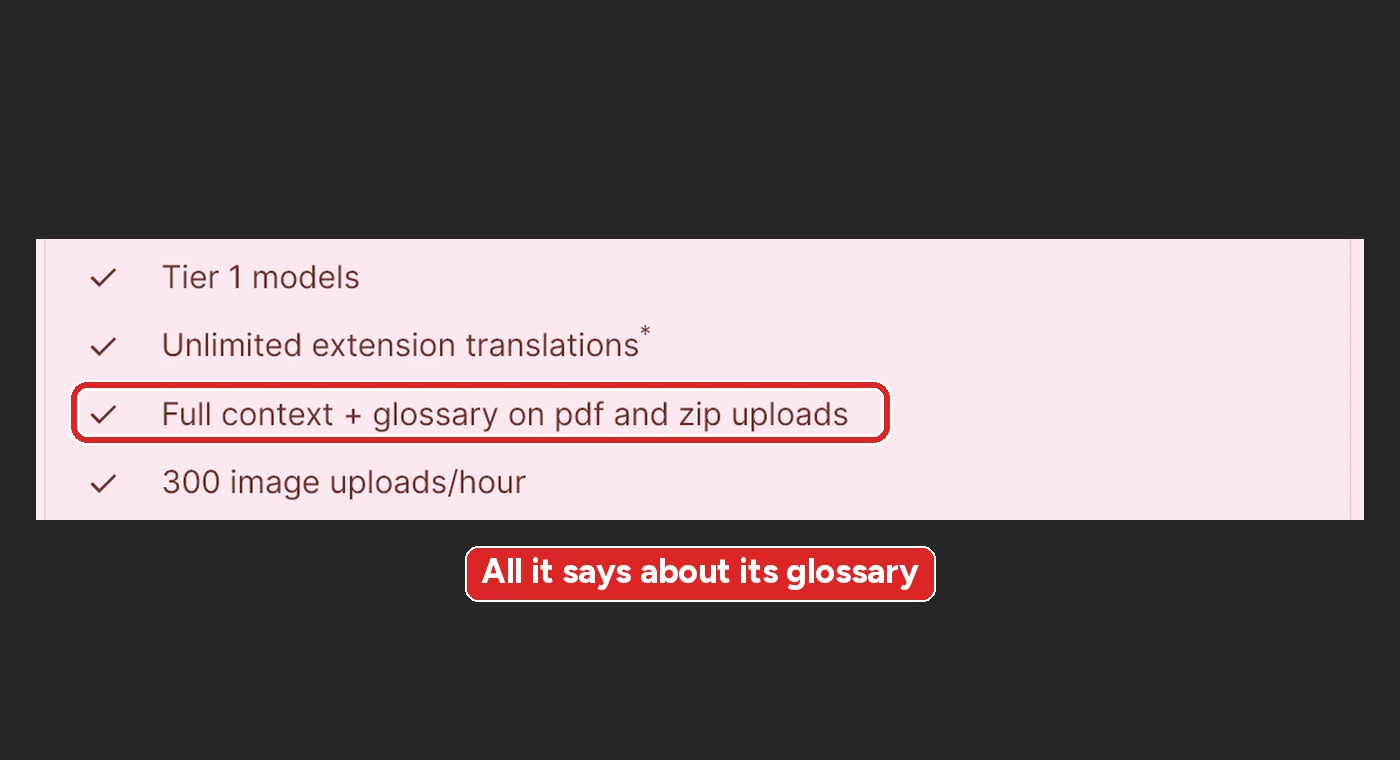
Ichigo: one line on its pricing page is all it says about its glossary.
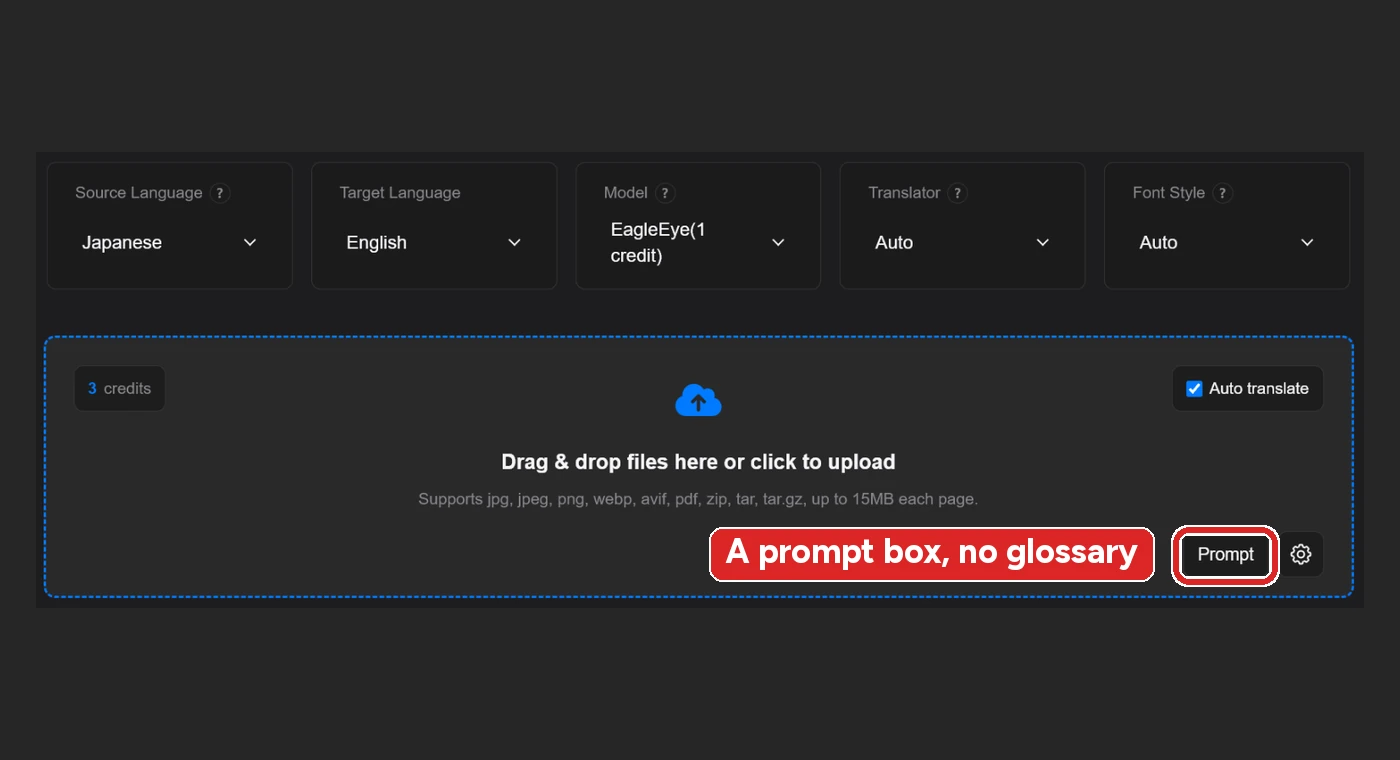
MangaTranslate: a prompt box, but no glossary.
Now look back at the test page. Scan Translator and Ichigo both switch the narrator's "I" to "he" in the middle of a thought, so suddenly the wishes belong to someone else. Scan Translator also reads 伊佐木 as "Isaki", even though the furigana, the tiny reading guide next to the name, spells out Isagi. That's what happens when a translator doesn't know the story.
With other tools, you mostly have to trust them. Ichigo mentions a "glossary" for paid PDF and ZIP uploads, but says nothing about what's in it or how to change it. Madomi keeps a glossary for each series in its reader app, MangaTranslate has a prompt box, and Scan Translator says it reads the surrounding panels, with nothing you can add.
4. It lets you choose the AI
The AI model does most of the actual translating, so it matters which one you use. A fast model handles most pages just fine and costs very little. A page full of wordplay, or a series with a huge cast, deserves something smarter.
Torii gives you 13 models to choose from. The default, Gemini 3.1 Flash Lite, is the fastest, and at the top end are Claude Opus 5.5, GPT-6.1 Sol and Gemini 4 Carbon. You can set how hard the model thinks, switch models whenever a series calls for it, or plug in your own key from OpenAI, Anthropic, Google, xAI, DeepSeek, OpenRouter or any compatible service and pay them directly.
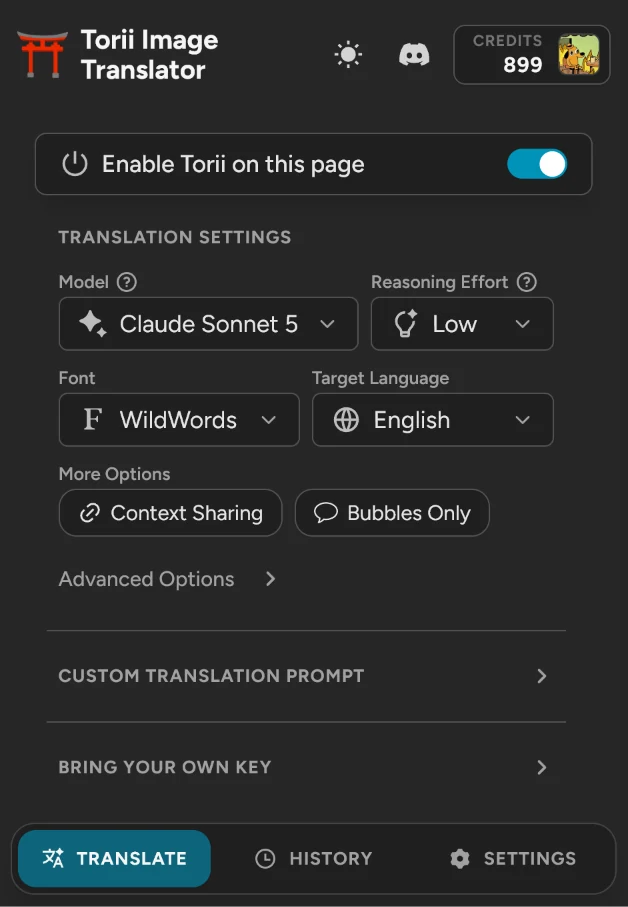
- Model. Pick any of the 13, from fastest to smartest.
- Reasoning effort. How long the model thinks before it answers.
- Context Sharing. Carries the story from one page to the next.
- Custom translation prompt. Your own rules, saved for each series.
- Bring your own key. Use your own AI account and pay just one credit a page.
Compare that with the rest. Scan Translator picks the model for you. Ichigo has six, but keeps its two best for its most expensive plan. MangaTranslate lets you choose GPT, DeepSeek or Grok. None of them mention letting you use your own key.
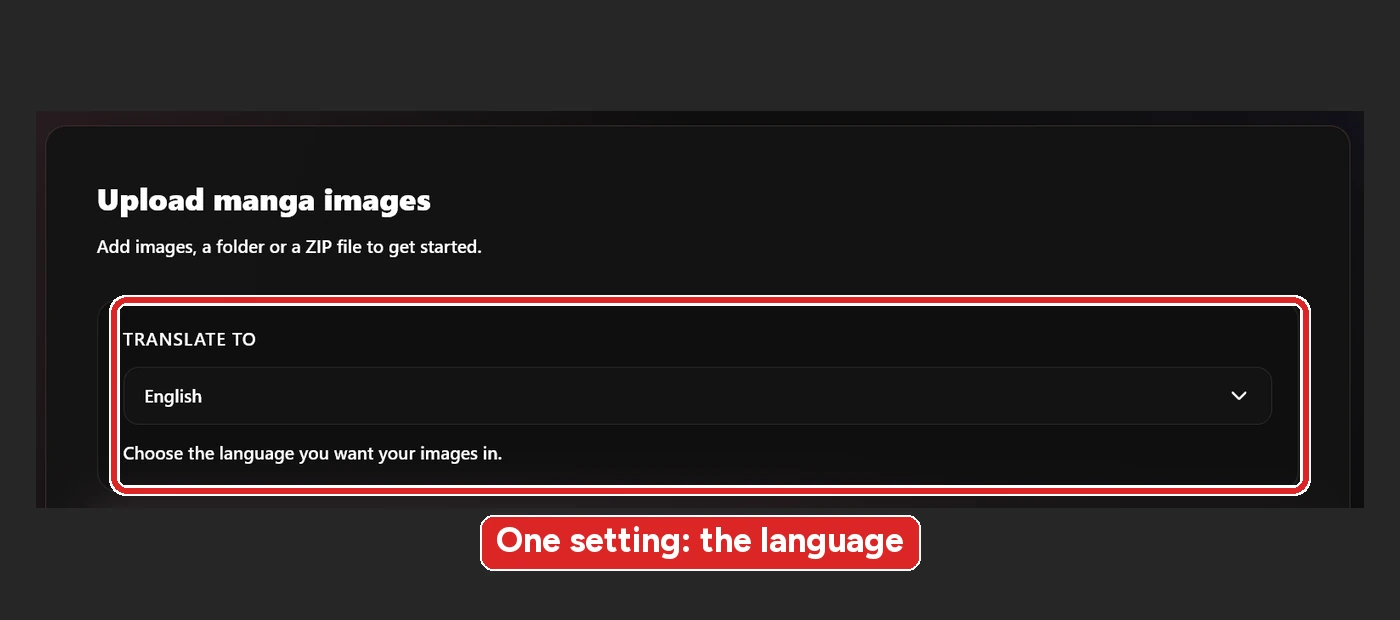
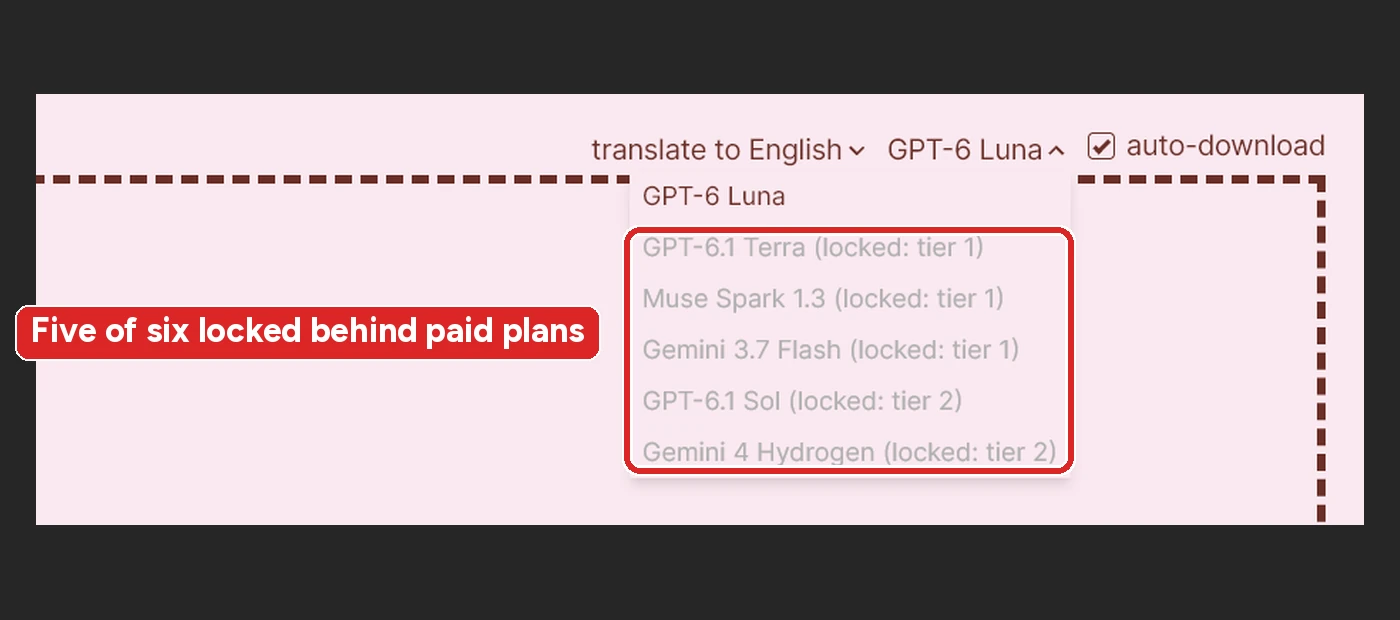
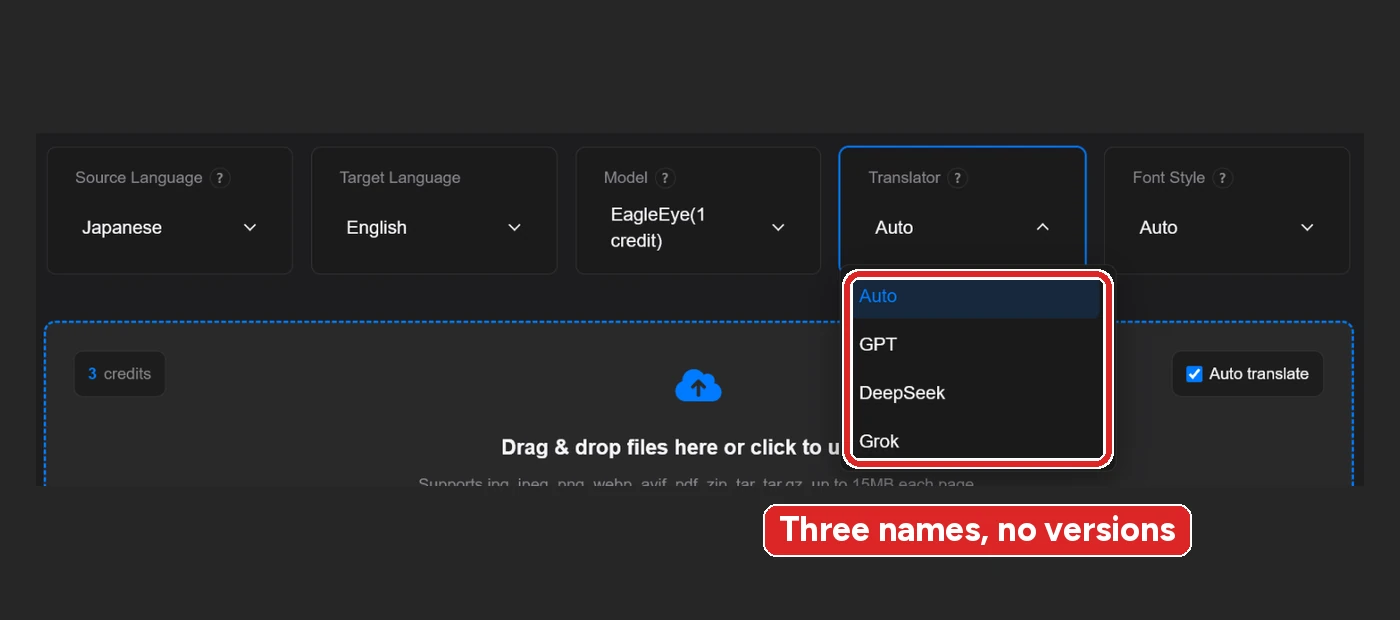
Scan Translator: the only setting is the language. It picks the AI for you.
Ichigo: six models, five of them locked behind paid plans.
MangaTranslate: GPT, DeepSeek or Grok, with no say in which version.
5. It cleans the art instead of covering it
Before the translation goes in, the original text has to come out. If a tool just slaps a white box over it, whatever was underneath is gone: screentone, a strand of hair, the edge of a cloud. Human cleaners erase the text by hand and redraw what was behind it.
Torii does that cleaner's job with AI. Its inpainting model fills every gap with what should be there, and Clean All does a whole chapter at once, which is handy for teams who do their own lettering. With the inpaint brush, you can paint over anything else, like a leftover stroke or a stray mark, and watch it disappear. AI Edit goes a step further and redraws a patch from a prompt you type.

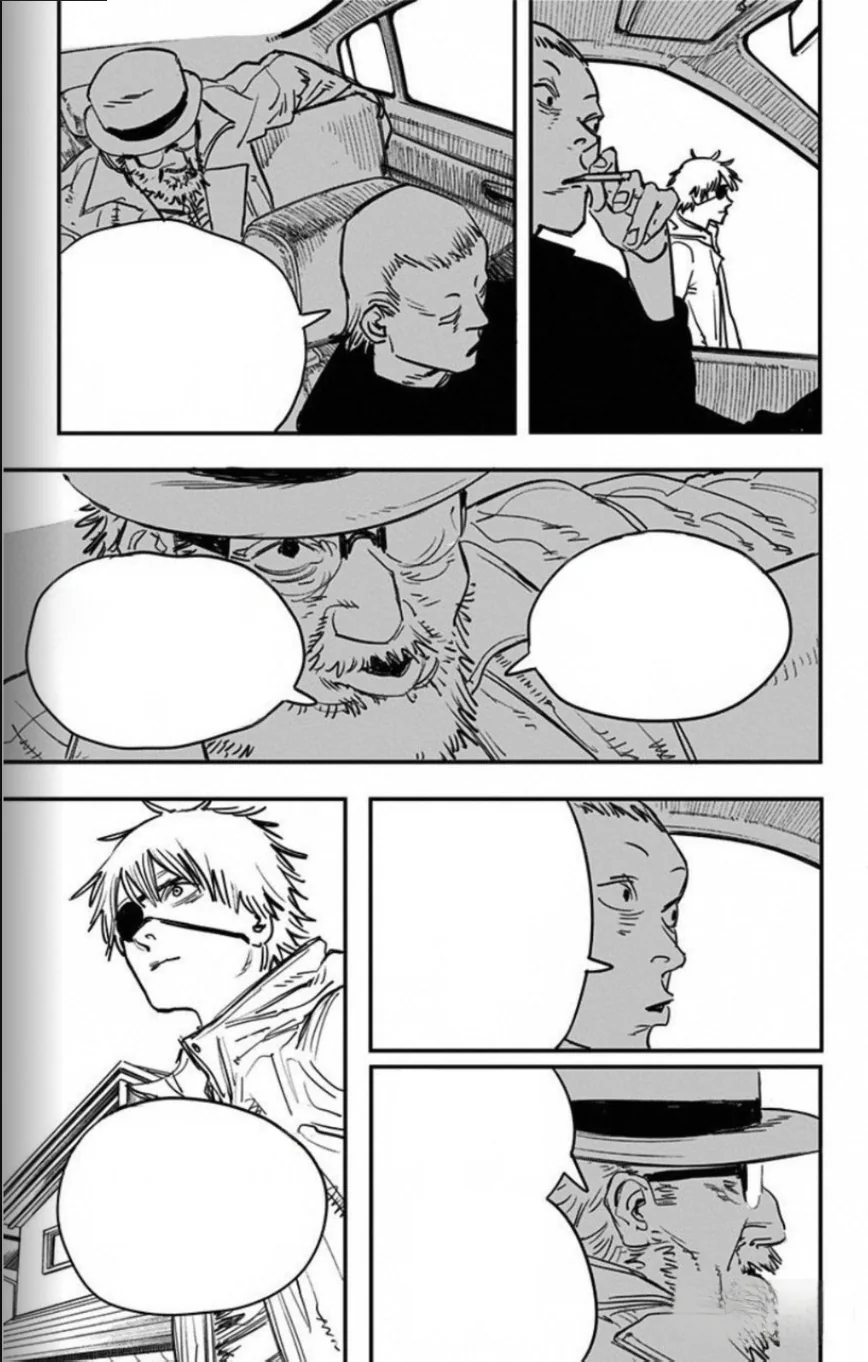
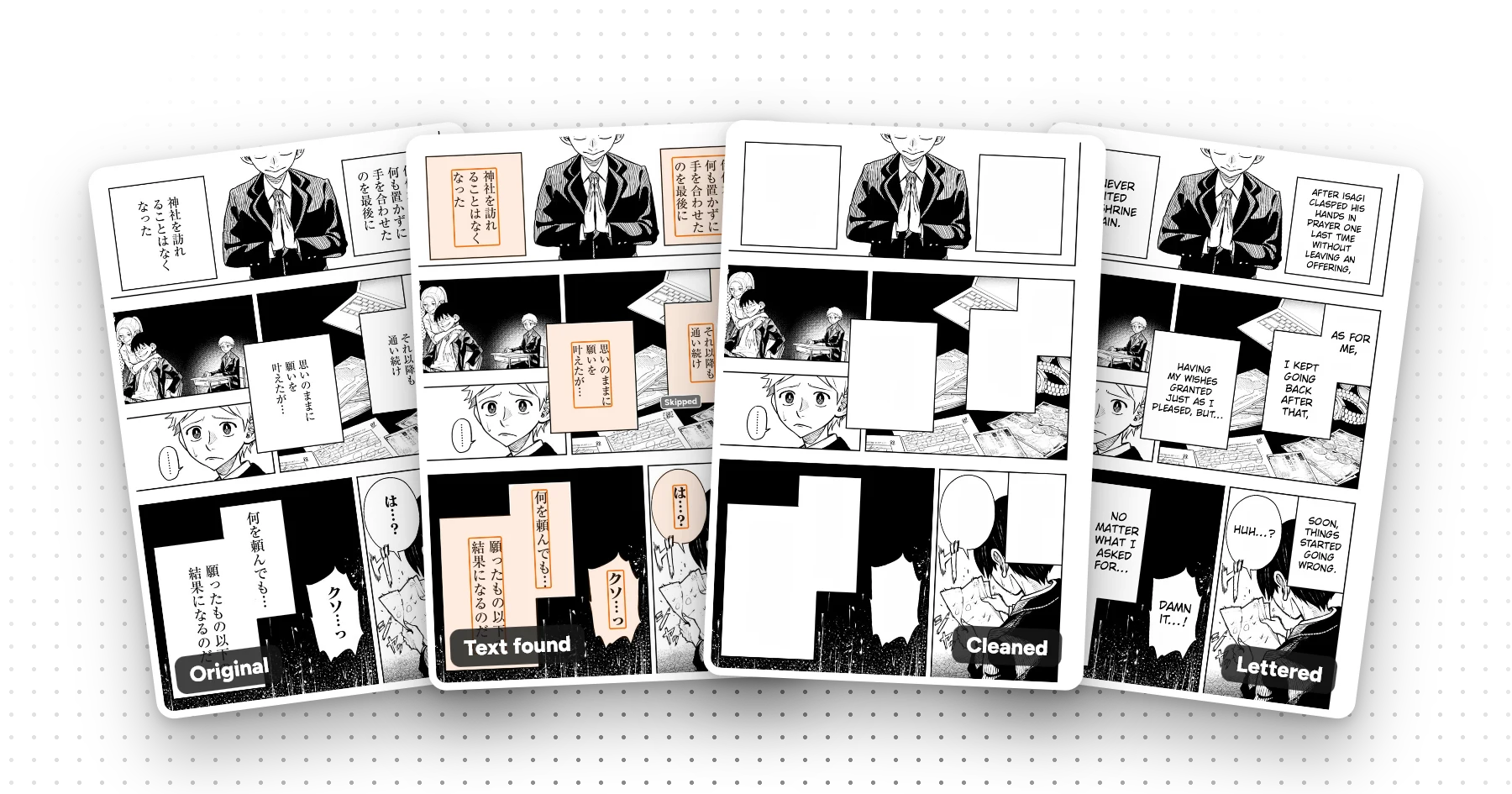
A dialogue-heavy page, its bubbles packed with Japanese, over hatching and screentone.
The Japanese erased, and the bubbles and art behind it redrawn.
The English lettered into the clean bubbles.
Other tools clean automatically or not at all. Scan Translator covers or erases the text where it can. MangaTranslate's editor has paint, blur and restore brushes, but nothing that redraws the art for you.
6. It letters like a typesetter
Lettering is where machine translation usually gives itself away. English runs longer than Japanese, bubbles are round, and text that's too small, too big or broken in a weird place just looks machine-made.
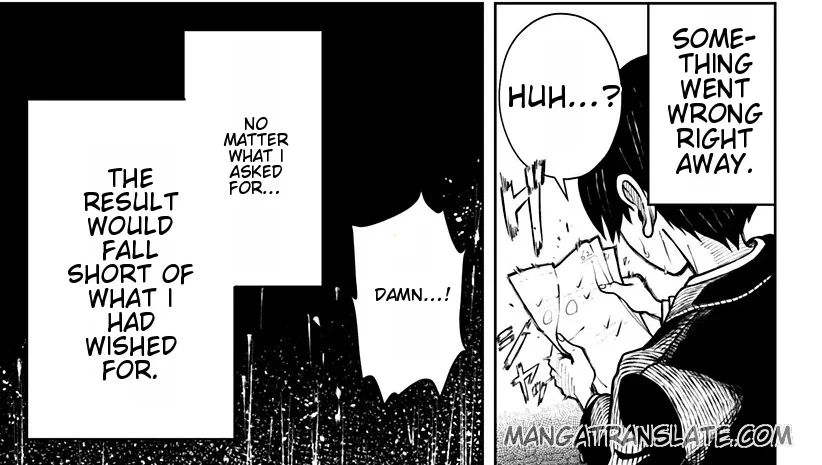
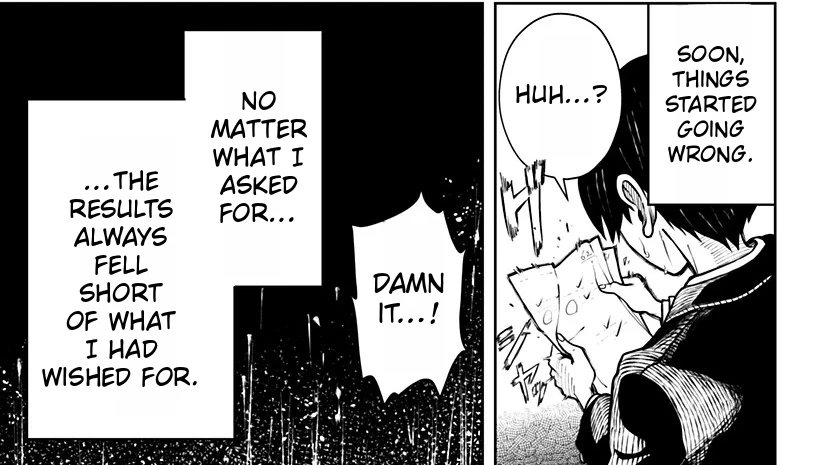
Something's off with this lettering. Can you spot it?
Torii shapes each translation to fit its bubble and sizes it to match the original, so a whisper stays small and a shout stays big. It only splits a word with a hyphen where a dictionary says it's okay, in 49 languages. It copies the color of the original text and its outline, so white text on a black panel stays white on black.
Here's one row of the test page, lettered by all four.
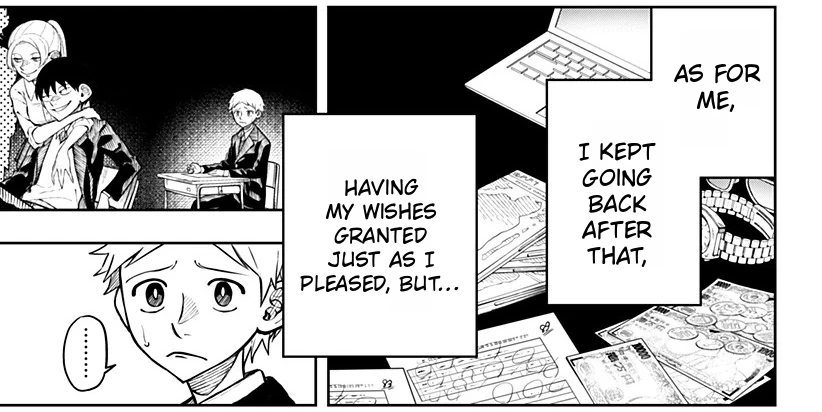
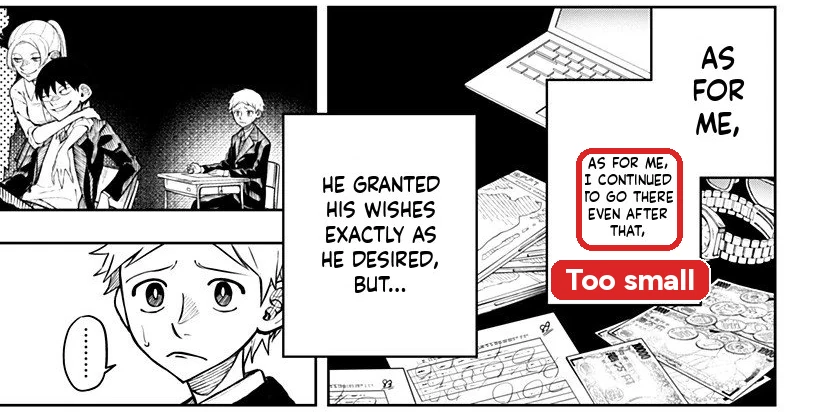
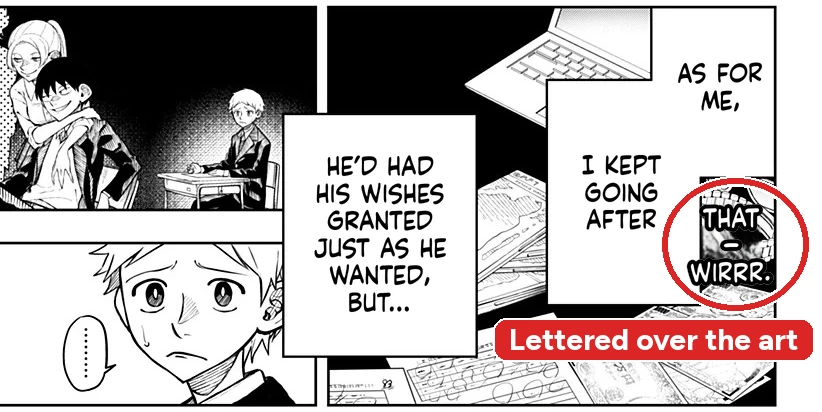
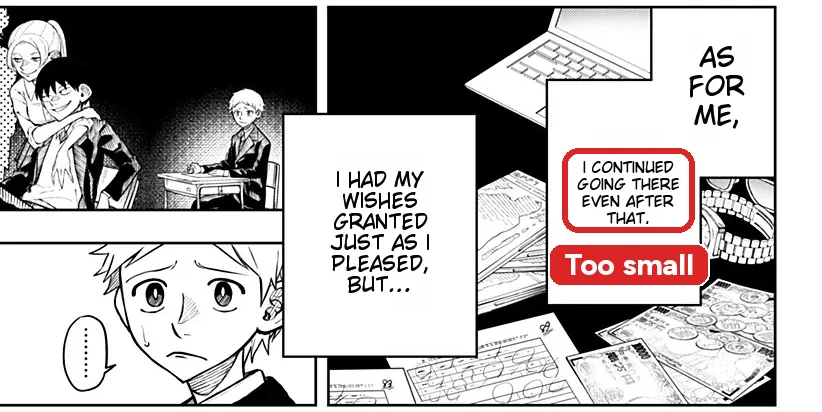
Torii: every line sized to its box.
Scan Translator: one line lettered far smaller than its box.
Ichigo: it reads the watch on the desk as text and letters over the art.
MangaTranslate: one line shrunk to a fraction of its box.
It also comes with 63 fonts (or add your own), keeps Japanese and Chinese vertical when you translate into them, and handles languages like Thai that don't put spaces between words.
7. It lets you fix anything
Every AI translator gets a line wrong sometimes. What matters is what you can do about it. With a one-button tool, all you can do is run the page again and hope.
In Torii, every translated line stays editable text, in the web app and right inside the extension on the page you're reading. For everyday reading, that means a two-second fix when a line feels off.
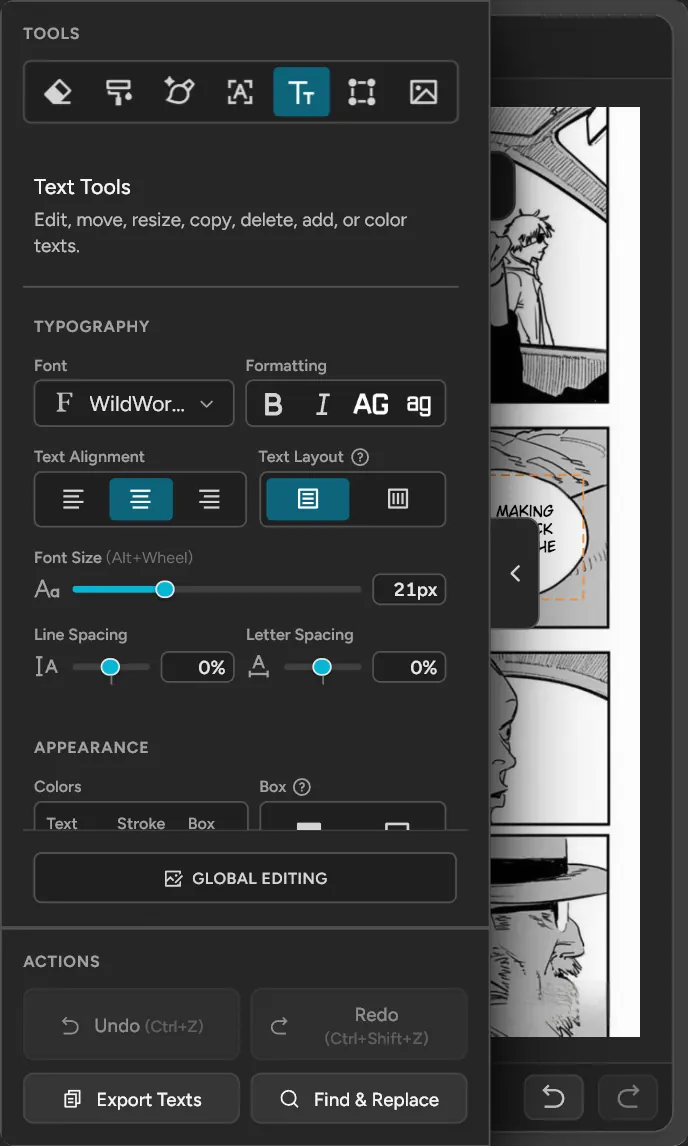
If you scanlate, it goes much deeper. Torii has the most complete editor of any manga translator: four-corner perspective warp, just like Photoshop's, plus arcs, waves and twists; an erase brush that brings back the raw or the cleaned page; AI inpainting, AI Edit and Manual Translate; folder-wide Find & Replace; style presets; and 21 keyboard shortcuts you can remap.
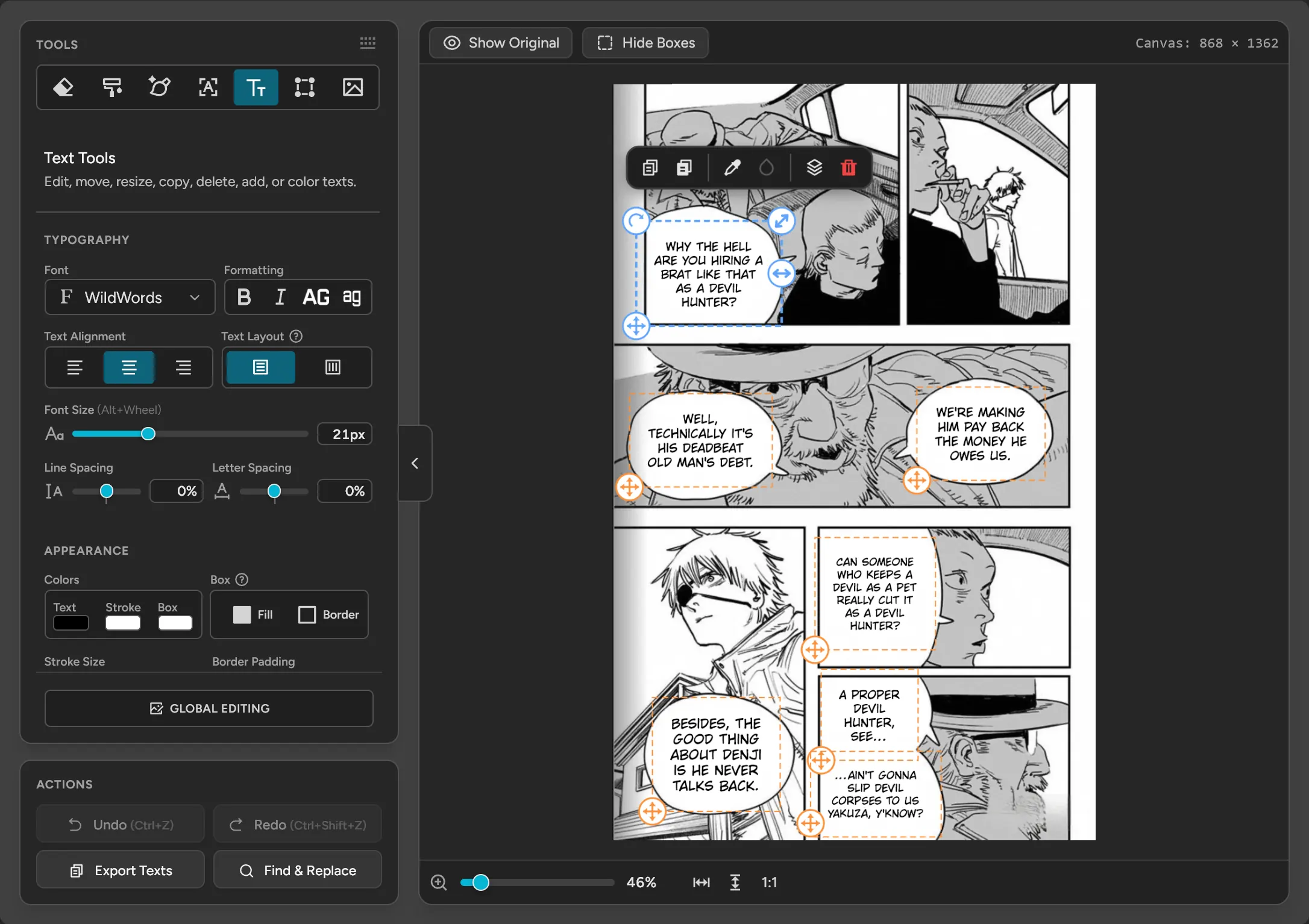
- Seven tools: Erase, Paint, Inpaint, Manual Translate, Text, Warp and Image, each with a shortcut.
- Show Original flips back to the raw page so you can check a line.
- Every line is its own box: move, resize, rotate or rewrite it.
- 63 fonts made for comics, or bring your own.
- Horizontal or vertical text, for pages that read top to bottom.
- Global Editing restyles every line on a page, or in a whole folder, at once.
- Export Texts sends the script to a translator or proofreader as a text file, and brings it back in.
- Find & Replace changes a name across a whole folder.
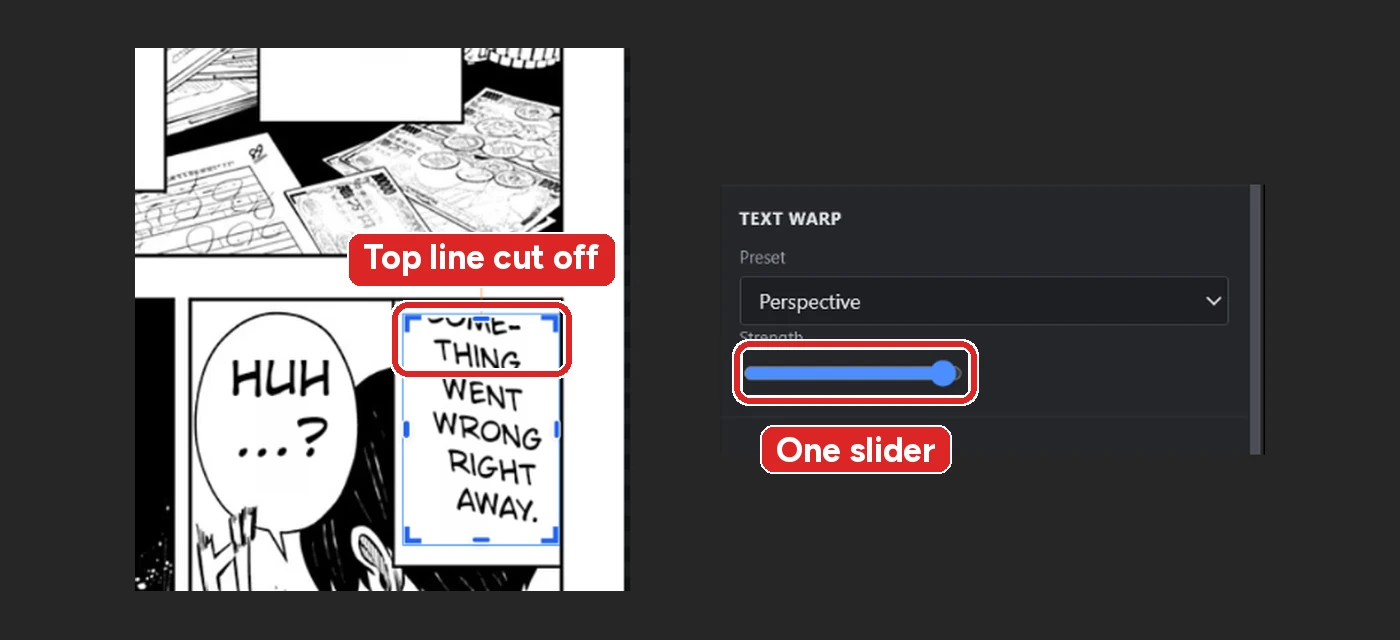
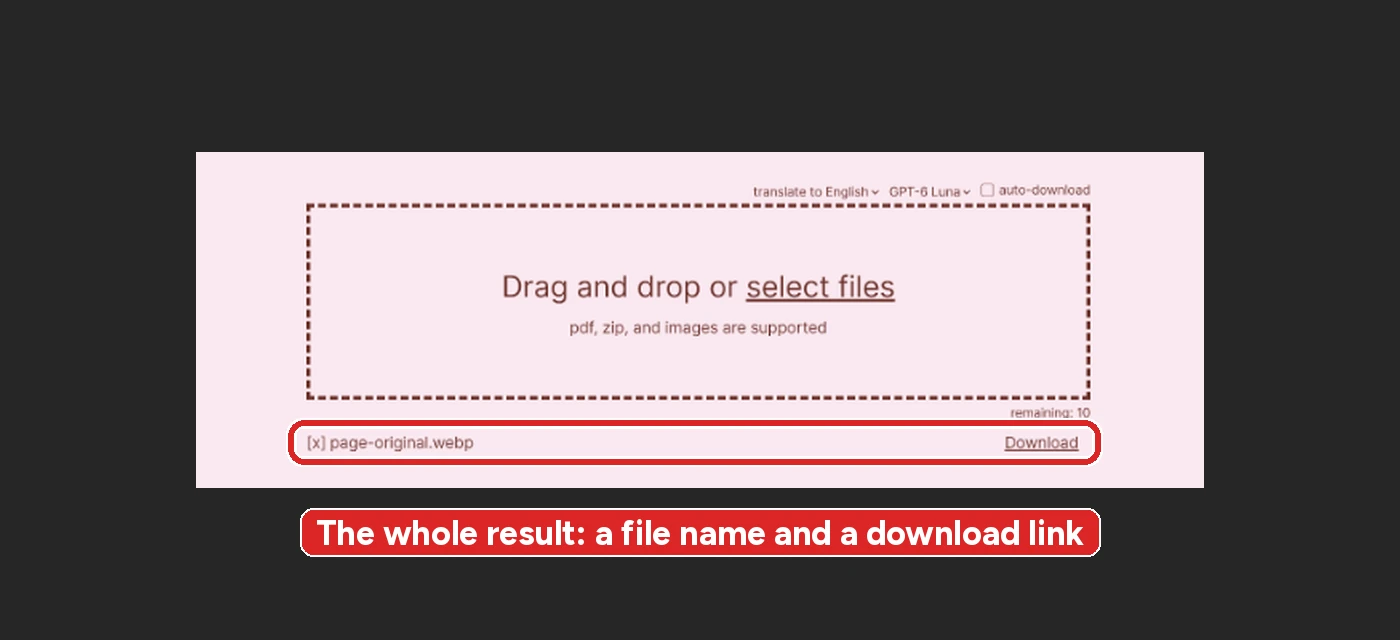
Nothing else comes close. MangaTranslate sends pages to a separate, basic editor where you can retype a line and change its font, but its effects are one-slider presets and it has no AI tools. Scan Translator, Ichigo and IsManga have no editor at all, and Madomi only lets you change the text size.
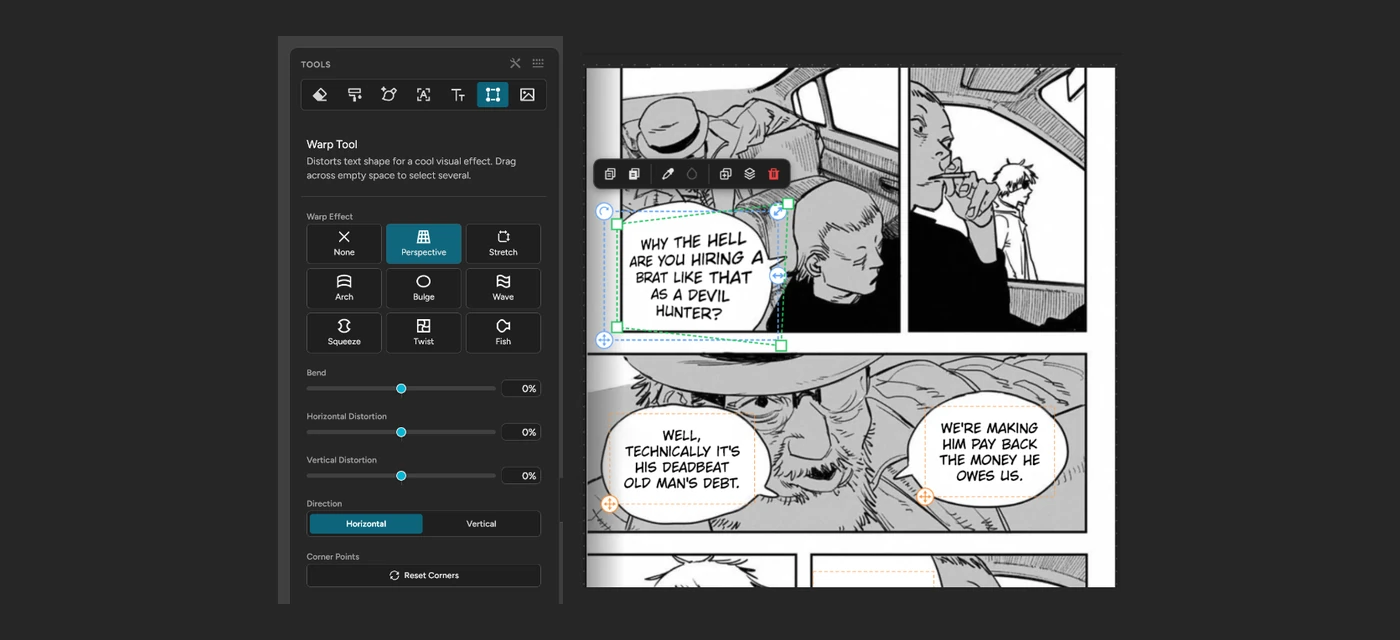
Torii: drag a line's four corners for true perspective, with bend and distortion sliders on top.
MangaTranslate: perspective is one Strength slider, and at full strength it cuts off the top line.
Ichigo: no editor. After translating, you get a file name and a download link.
8. It works wherever you read
Torii's extension translates manga, manhwa and webtoons right on the page as you read. Hover over an image and click, or turn on auto translation and the next pages translate as you scroll. It works in Chrome, Edge, Brave, Opera, Firefox and Safari, and on your phone too: Safari on iPhone and iPad, and Firefox on Android.
For files you already have, the web app takes images, ZIP, CBZ and PDF files, even whole folders, and translates a chapter in one go. When you're done, download it as a ZIP (folders and all), a PDF, a layered Photoshop file, or a Torii file you can keep editing later. It works out what language the page is in and can translate it into any of 150.
The others are more limited. Ichigo only reads Japanese, Chinese and Korean, and translates into 18 languages. IsManga reads four languages and translates into 56. And on phones, Ichigo, IsManga and Madomi have you read inside their own apps. Torii works in the browser you already use.
9. It keeps a whole series in order
A series isn't a one-time upload. It's a chapter this week, another one next week, a whole volume by the end of the month. If you follow a long series, or translate one, this is where Torii pulls furthest ahead.
Torii's web app keeps a library for you. Every upload becomes a project with folders for its chapters, all stored on your own computer, not someone else's server. Its glossary, progress, costs and history stay with it, so next week's chapter picks up where this one left off, and a Torii file carries the whole project, edits and all, to another computer.
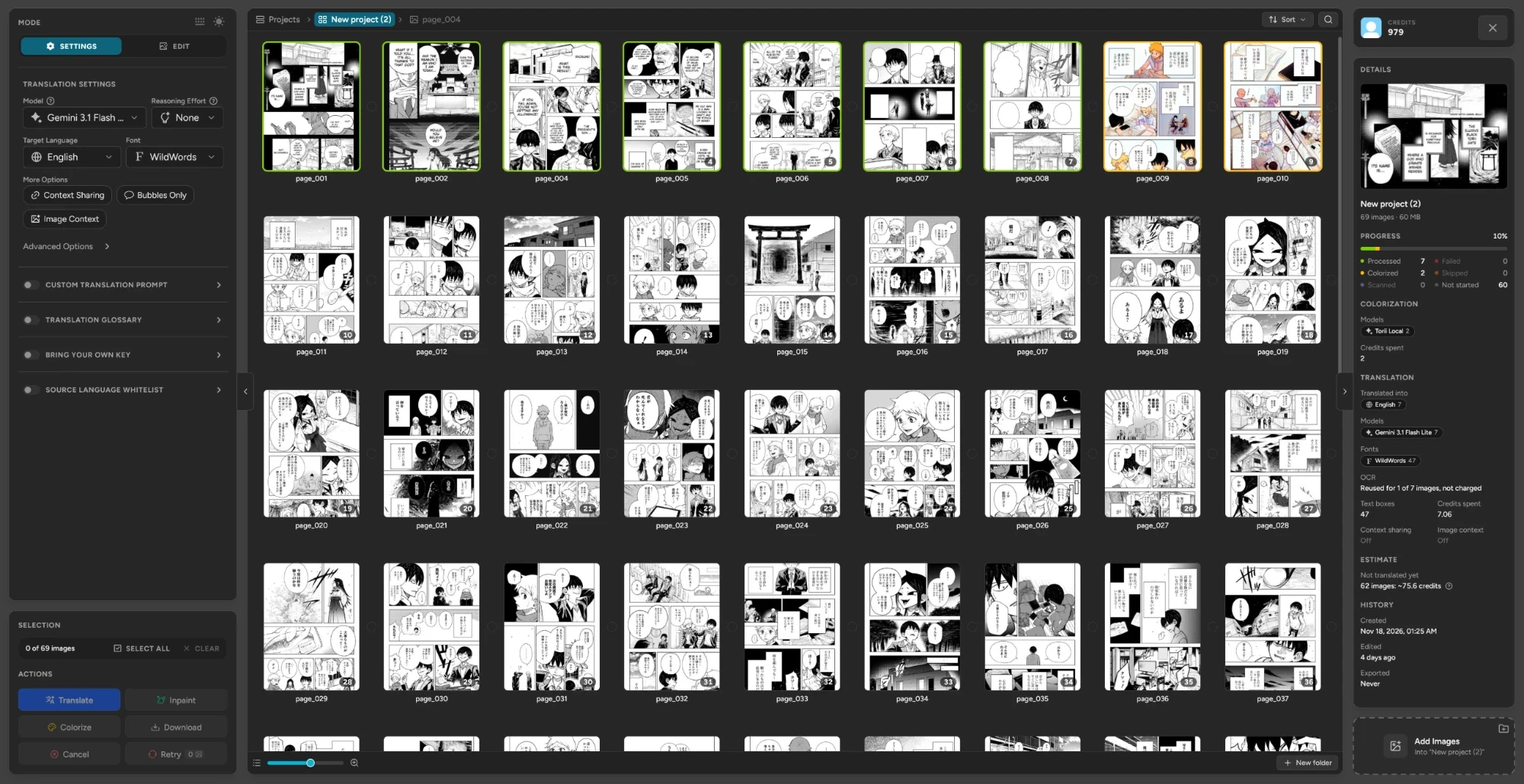
- Every upload is a project, with folders for its chapters.
- Every page's status at a glance: green means translated, orange means colorized.
- Sort and search, plus rename, move and reorder pages and folders.
- The glossary is saved with the project, ready for the next chapter.
- Translate, clean, colorize or download any selection, or everything.
- Progress for the whole project.
- The languages, models and fonts used, the number of text boxes, and the credits spent.
- The estimate: what the remaining pages will cost, before you press Translate.
- History: when it was created, last edited and last exported.
- Add images to drop next week's chapter into the same project.
Other tools treat an upload as a one-off batch of results. Scan Translator, Ichigo and MangaTranslate have no folders for chapters, and keep no record of progress, cost or settings for each page. Compare the first screen you get in each:
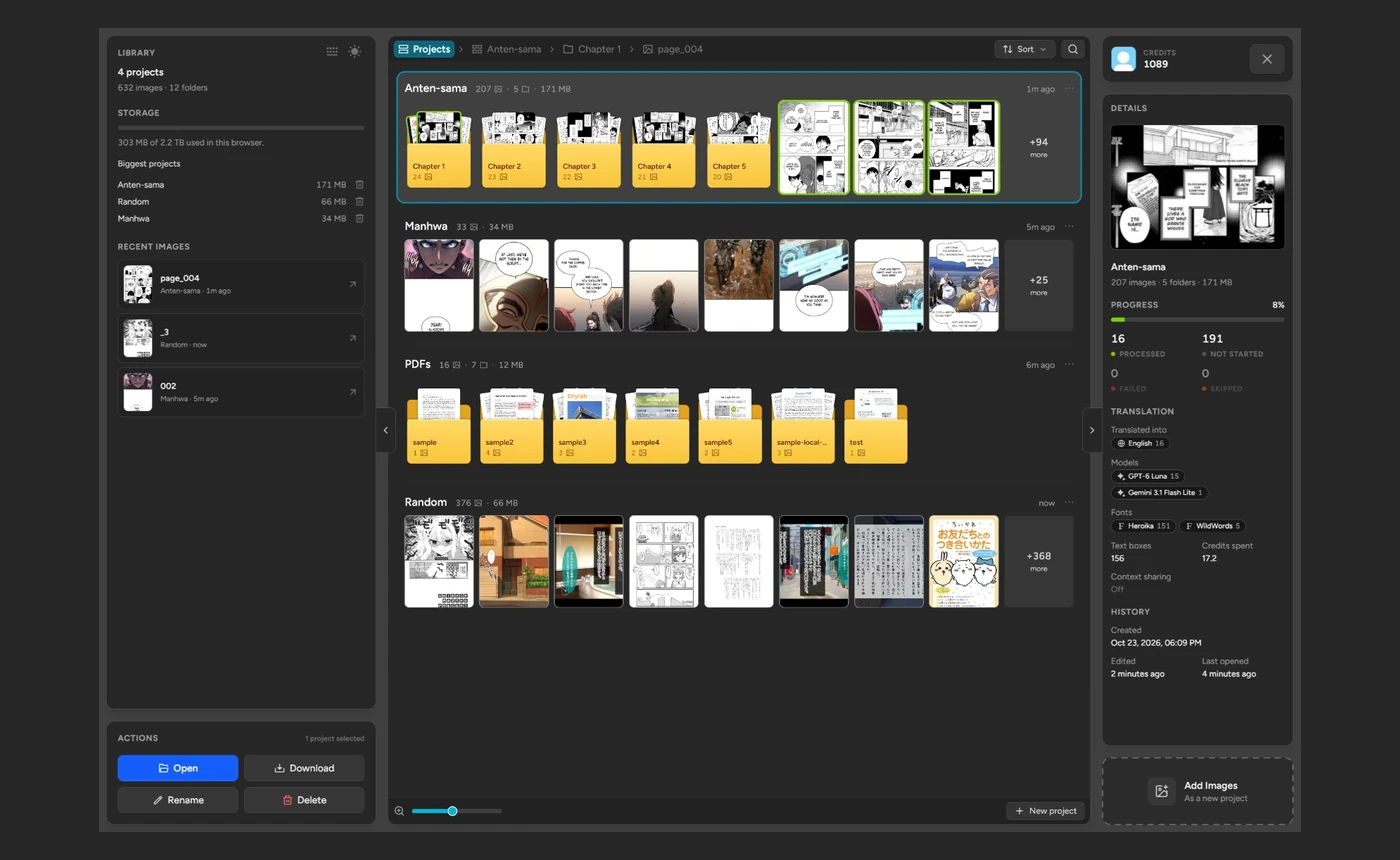
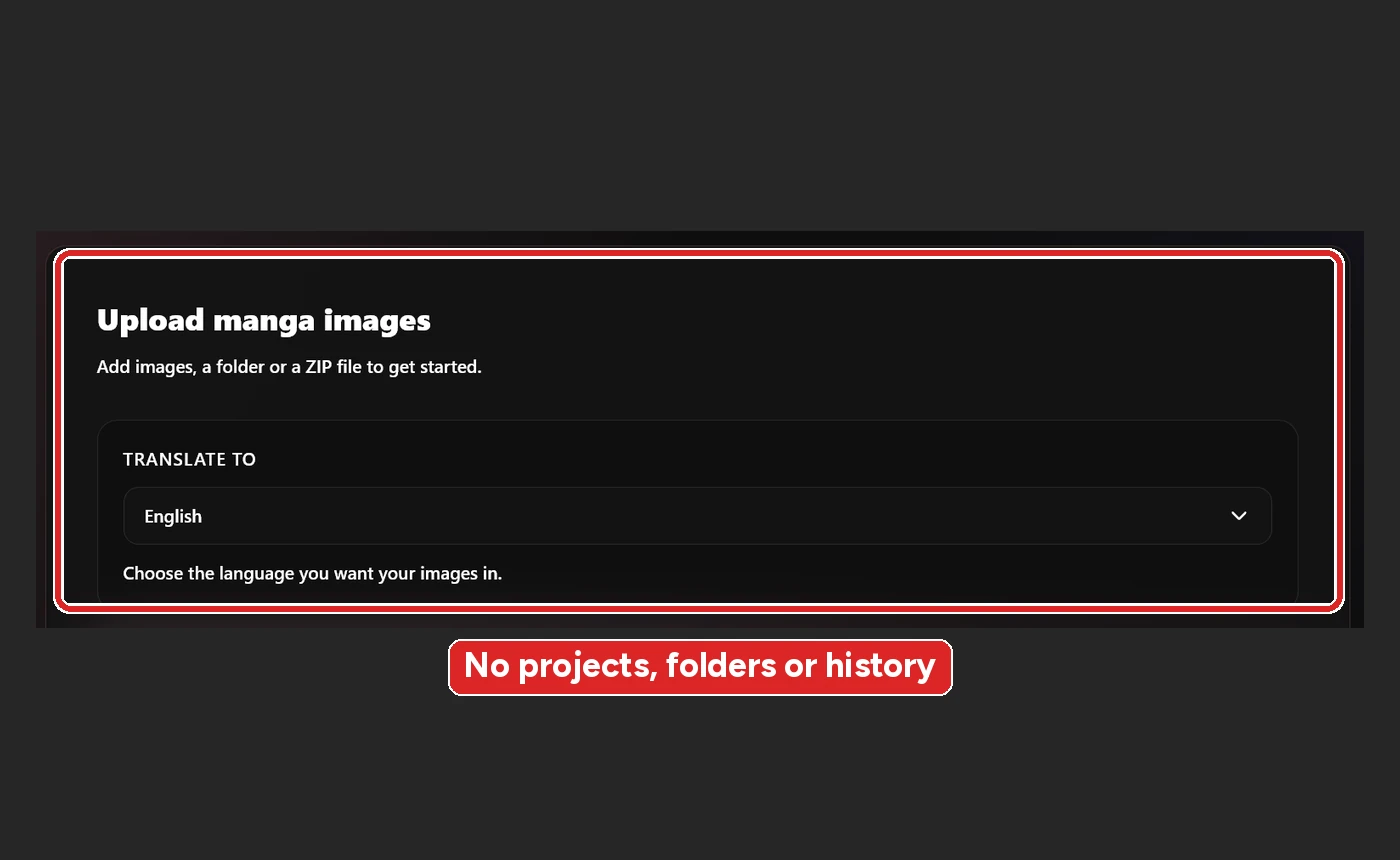
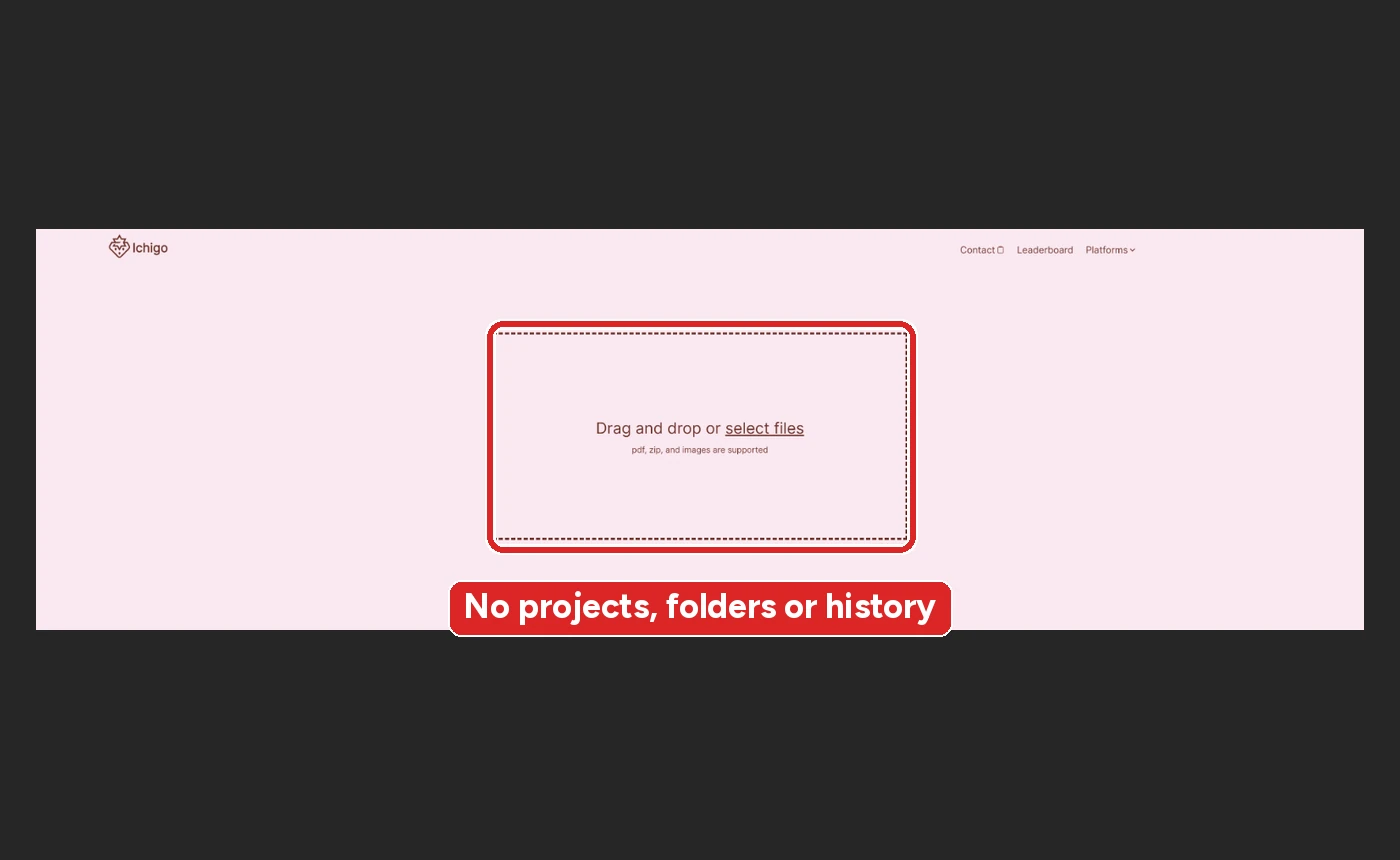
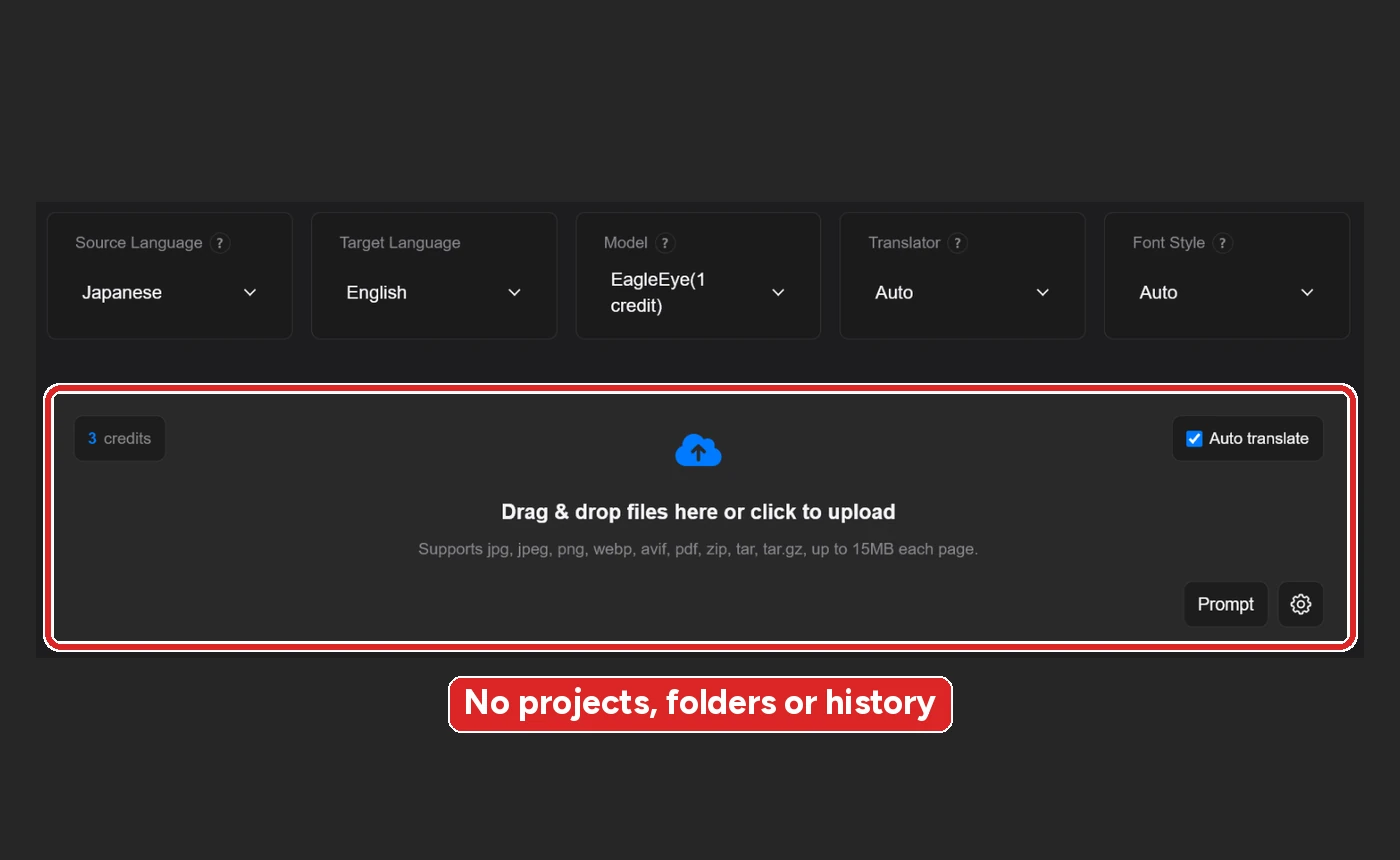
Torii: a library of projects and folders, with storage, recent pages and each project's progress.
Scan Translator: a language picker and an upload box.
Ichigo: an upload box and a count of what's left.
MangaTranslate: settings and an upload box.
One more thing: color
None of the other tools here even mention this one. Torii's colorizer turns black-and-white pages into full color, a page or a whole chapter at a time, with five AI models to pick from. The colored pages translate just like any other.
What it costs
Torii runs on credits you buy once, and they never expire. There's no subscription and no watermark. A page costs about one credit with the fast models, while stronger models and a glossary cost more per page. If you bring your own AI key, every page costs exactly one credit. Packs start at $5.99 for 2,500 credits and go up to $299.99 for 250,000, and new accounts get 30 free credits to try it out, no card needed.
What it costs to translate 1,000 pages
- Torii, 2,500-credit pack$2.40
- Torii, 250,000-credit pack$1.20
- Scan Translator, 2,500-credit pack$2.78
- Scan Translator, 20,000-credit pack$1.45
- Scan Translator, Unlimited plan$15.07
- Ichigo, Tier 1 plan$5.99
- Ichigo, Tier 2 plan with its best models$19.99
- MangaTranslate, 2,200-credit pack$4.55
- MangaTranslate, 12,222-credit pack$4.09
- MangaTranslate, Basic plan$8.00
- IsManga, Unlimited plan$5.99
- Madomi, Premium plan$5.99
- Madomi, Premium Plus plan with its best quality$19.99
Buy a pack, read at your own pace, and come back whenever you want. Your credits will still be there.
How the manga translators compare
Pick a tool to see it side by side with Torii.
| Torii | Scan Translator | Ichigo | MangaTranslate | IsManga | Madomi | |
|---|---|---|---|---|---|---|
| Works in | Chrome, Edge, Firefox and Safari, on iPhone, iPad and Android too, plus a web app | Chrome and Firefox, plus a web app | Chrome, a web app, and apps for iPhone and Android | A web app and a Chrome extension | Chrome, a web app, and apps for iPhone and Android | Chrome and Firefox, and a reader app for iPhone and Android |
| Your files | Images, ZIP, CBZ and PDF, whole folders | Images, folders and ZIP | Images, ZIP and PDF | Images, PDF, ZIP and TAR | Images, PDF, CBZ, ZIP and EPUB, up to 5 MB | CBZ, CBR, ZIP, EPUB and PDF, in its app |
| Languages | Detected for you, into 150 | Detected for you, into 76 | Japanese, Chinese and Korean, into 18 | About 30, into 100+ | 4, into 56 | Japanese, Korean, Chinese and more |
| AI model | 13 to choose from, or your own key | Chosen for you | 6, the best two on its $19.99 plan | GPT, DeepSeek or Grok | Not listed | Better quality on its paid plans |
| Story context | The page itself, earlier pages, a glossary and your own prompt | Surrounding panels, nothing to set | A glossary and full context for paid PDF and ZIP uploads | A prompt box | Not listed | A glossary for each series |
| Editor | Full editor in the web app and the extension, with AI cleanup and Manual Translate | None | None | A separate, basic editor: retype text, change fonts, no AI tools | None | Text size only |
| Projects | A library of projects and folders on your own computer, with progress, costs and history | None | None | A list of past uploads | None | A reading library in its app |
| Export | Image, ZIP, PDF, layered PSD or a Torii project | Images and share links | Images | ZIP, PDF or PSD | Images | Offline reading in its app |
| Price | Credits from $5.99 for 2,500, about one a page, never expiring | €12.99 a month, or €5.99 for 2,500 credits | $5.99 or $19.99 a month | $10 for 2,200 credits, or $8 a month for 1,980 | $5.99 a month | $5.99 or $19.99 a month |
| Free to try | 30 free credits when you sign up, no card needed | 3 pages without an account, 30 credits with one | 40 pages in the extension and 20 uploads, no account | 5 credits a day | 40 pages a week | 100 credits a month |
Scan Translator
Made for one-click translating in Chrome, Firefox or its web uploader, with 3 pages free before you sign up. There's no model picker, glossary, editor or project library, so fixing a bad line means spending another credit to retry.
Ichigo Reader
Made for reading Japanese, Chinese and Korean, with apps for iPhone and Android and free pages without an account. It translates into 18 languages, has no editor, and its free uploads come with a watermark. If you want an Ichigo Reader alternative with more languages and an editor for fixing pages, Torii covers both.
MangaTranslate
A web uploader for people who want to pick a model (GPT, DeepSeek or Grok) and export PSD files. Its editor is basic, there's no AI cleanup, free results carry a watermark, and its credits cost about twice as much per page as Torii's.
IsManga
Made for reading on a phone, with its own built-in browser and 40 free pages a week. It reads four source languages and has no editor.
Madomi
A manga reader app for phones (it used to be called Fakey) that reads offline, keeps a glossary for each series and gives you 100 free credits a month. Editing stops at the text size.
Free and desktop tools
Google Lens covers the page with its own blocks of text: fine for checking one line, rough going for a whole chapter. Open-source desktop apps like BallonsTranslator, manga-image-translator and Koharu are free, as long as you're happy to install, set up and run them yourself, with your own AI key or a model on your own computer.
How to test a manga translator yourself
One screenshot can make almost any tool look good or bad. It depends on the page, and on which AI model ran it. Every AI misreads a line now and then, especially a fast model that sees one page and nothing else.
So before you pick one, try it on three or four pages in a row from a series you actually read, and check:
- Names and pronouns. Does each character keep the same name, and stay "he" or "she", from page to page?
- Lettering. Does the text fit its bubbles, at a size you can read?
- The art. Is the original text cleaned away, or covered with white boxes?
- Your options. When a line comes out wrong, can you switch models, add a glossary entry or fix it yourself, or can you only pay to run it again?
Those are the same things this post tests, and Torii's 30 free credits are enough to run that check on pages of your own.
Questions people ask
What's the best free manga translator?
If you mean free to try, most of these tools give you a few pages. Torii gives you 30 free credits when you sign up, enough to see it work on your own pages. If you mean free forever, the open-source desktop apps cost nothing but your setup time and, unless you run a model yourself, your own AI key.
What's the best manga translator app for a phone?
On iPhone and iPad, Torii runs in Safari: get it from the App Store, and it translates manga on any site you read. On Android, it runs in Firefox. Chrome on Android can't run extensions at all, so there you can use the web app for chapters you've saved.
What's the best manga translator extension?
If you want to read in any browser and fix pages without leaving the site, Torii is the strongest pick. It runs in Chrome, Edge, Firefox and Safari, translates a page in one click or every page as you scroll, lets you drag over anything on your screen to translate it (Alt+Shift+X), and opens any translated page in its editor right on the site.
Which AI is best for translating manga?
For most pages, a fast model like Gemini 3.8 Flash does a great job for very little. For a series full of wordplay, a big cast or a long story, the strongest models (Claude Opus 5.5, Gemini 4 Carbon and GPT-6.1 Sol) pick up more of the nuance, for more credits per page. Either way, use a glossary: names and genders are where every model slips.
Read your next chapter in your language
Torii translates manga, manhwa and webtoons right on the page, or whole chapters you upload. Free credits, no card.